
Microsoft 365 integration implemented via Azure AD
ObserveID Microsoft 365 integration helps to manage users and manage license assignments as part of the day-to-day security and access management tasks. The integration uses a registered app in Azure AD granted a programmatic access to the Microsoft 365 service over Microsoft Graph REST API. As every paid subscription to Microsoft 365 comes with a free subscription to Azure AD, Azure AD by default supports the management of all Microsoft 365 users, groups, roles and licenses. With ObserveID Azure AD integration set up, the Microsoft 356 data can be managed within it. In the absence of the Azure AD integration, to manage Microsoft 365 users and licenses, the Azure AD integration must be setup as a pre-requisite.
Microsoft 365 is a complete, intelligent solution that empowers everyone to be creative and work together securely. Herein it is described how to set up the integration with Microsoft 365, to configure it and what makes up the schema of the Microsoft 365 Integration Data.
In this section:
- Overview
- Microsoft 365 and Azure AD
- Microsoft 365 and Office 365
- Microsoft 365 integration operations
- Setup of Microsoft 365 integration
- Microsoft 365 integration data
- Azure AD accounts
- Microsoft 365 Licenses
- Microsoft 365 Groups
- Azure AD Roles
Overview
The Microsoft 365 integration allows one to manage Microsoft 365 users, licenses, groups and roles, so that to control access to the Microsoft 356 resources. From the high level perspective, the following Integration Data that pertains to Microsoft 365 is available in ObserveID for management:
- the Azure AD as the main resource that contains users of Microsoft 365;
- licenses as one of the permission types;
- AD Groups and AD Roles that allow the principals to act on Microsoft 365 resources;
- users of Microsoft 365;
- entitlements assigned to users, licenses, roles; and
- the properties attributed to users, and entitlements.
Microsoft 365 and Azure AD
Microsoft 365 uses Azure Active Directory (Azure AD), a cloud-based user identity and authentication service that is included with the Microsoft 365 subscription, to manage identities and authentication for Microsoft 365.
The Azure AD integration is used in ObserveID to allow the IT security manager to manage access of identities to Microsoft 365 resources. And the base setup and configuration flow for the Microsoft 365 integration includes the following steps:
- Pre-requisites must be implemented on Azure AD for ObserveID;
- Connection parameters must be set up on ObserveID for Azure AD;
- First load of data from Azure AD to ObserveID should be successfully completed.
- Coding integration rules according to the business case requirements is final step before the system is ready.
Microsoft 365 and Office 365
Office 365 is now Microsoft 365. The name was changed from ‘Office’ into ‘Microsoft’. And many Office 365 subscriptions automatically become Microsoft 365 subscriptions. However, there are some Office 365 plans available. And Microsoft 365 includes everything in Office 365*.* Thus, by managing users of Microsoft 365, Office 365 users are managed.
Microsoft 365 integration operations
The integration operations listed below for the Microsoft 365 provide an overview of the use cases when it comes to managing users of Microsoft 365 and managing access of identities to Microsoft 365 resources:
|
Integration Operation |
Used by |
General description |
Integration-Specific Requirements |
|
Account Management | |||
|
Create Account |
Permanent Access Request, Temporary Access Request, Onboarding, Reinstatement, Role Creation, Role Update, Identities Update |
The accounts created for the Azure AD integration are available for management in Microsoft 365 admin center: https://admin.microsoft.com/ All Provisioning Rules that work for an Azure AD account, also work for a Microsoft 365 user account. |
The Additional Properties mandatory on the Microsoft 365 account creation are: -
|
|
With a Microsoft 365 account being created, a password is generated for it. |
An autogenerated random one-time password is established for every new account of any account type. And on the first login, the user is requested to update the password. | ||
|
Delete Account |
Account Removal, the Finish action on Temporary Access Request |
An account deleted for the Azure AD integration is deleted for the Microsoft 365 integration. |
n/a |
|
Offboarding, Emergency Deprovisioning |
There are options to be coded for the Leaver Rules. The options for Microsoft 365 are the same as the options for Azure AD. | ||
|
Lock Account |
Privileged Unlock Request, Firecall Unlock Request, Manage Access, Permanent Access Request |
The Azure AD integration can unlock and lock accounts of either Privileged type, or Privileged Service type. As all Microsoft 365 accounts are the Azure AD accounts, it is possible to use the Azure AD integration to lock\unlock Microsoft 365 privileged (service) accounts. |
n/a |
|
Unlock Account |
Privileged Unlock Request, Firecall Unlock Request |
n/a | |
|
Update Account Credentials |
Privileged Unlock Request, Firecall Unlock Request |
Credentials are established for all account types, and can be rotated for Privileged or Privileged Service types. Credentials are rotated if ‘yes’ is established for an Azure AD account in its ‘Rotatable’ property. |
n/a |
|
Update Account Additional Properties |
Identities Update |
As all Microsoft 365 accounts are the Azure AD accounts, by updating an Azure AD account the Microsoft 365 account is updated. |
The Additional Properties allowed on the Microsoft 365 account update are:
|
|
Target Management | |||
|
Pull Data |
DataImportTask, Identities Update, most workflows |
Microsoft 365 Integration Data is fully imported into the Azure AD integration in ObserveID. |
For what the Integration Data is fetched from the Microsoft 365 target, refer to the "Microsoft 365 integration data" section. |
|
Entitlement Management | |||
|
Grant Account Entitlements |
Privileged Access Request, Temporary Access Request, Manage Access, Role Creation, Role Update, Identities Update |
The Azure AD integration can assign an account with a Microsoft 365 entitlement. |
The Microsoft 365 entitlements that can be assigned are: -
|
|
For a License to be available for assignment, the Provisioning Rule for Usage Location should be set. |
To provision a License, the account should have the property: - | ||
|
Revoke Account Entitlements |
Manage Access, Role Update, Role Deletion, Identities Update |
The Azure AD integration can revoke a Microsoft 365 entitlement from the account. |
The Microsoft 365 entitlements that can be revoked are: -
|
Setup of Microsoft 365 integration
As Microsoft 365 maintains users according to one of the two available identity models: only in the cloud or on-premises Active Directory Domain Services (AD DS); the Microsoft 365 user accounts respectively:
- either exist in the Azure AD tenant;
- or exist in AD DS and a copy is also in the Azure AD tenant.
To set up a Microsoft integration in ObserveID, the Azure AD integration should be created first. And all steps of the integration creation performed for the Azure AD integration are required for the Microsoft 365 integration:
- On the Azure AD integration side:
- the application registration;
- the API permissions;
- Admin consent;
- Azure AD Roles
- On the ObserveID side:
- the connection parameters;
- the first load of the integration data;
- Azure AD integration rule configuration.
With the Azure AD integration set up and configured, the Microsoft 365 integration data will show up among the Azure AD integration data according to your Microsoft 365 subscription.
Microsoft 365 integration data
Microsoft paid services require licenses. To manage access to Microsoft services, the Administrator assigns licenses either directly to an account, or to a group. To delegate administrator privileges, the Administrator uses the admin roles, which are a part of AD Roles. Licenses, Microsoft 365 groups and the AD Roles are imported as the Microsoft 365 integration data to allow the Administrator to complete the access control tasks and manage access to Microsoft services. Below is a brief overview of the Microsoft 365 integration data.
Azure AD accounts
Microsoft 365 accounts are the Azure AD accounts licensed with at least one of the Microsoft 365 and\or Office 365 licenses. To view the Microsoft 365 accounts, open the needed license as an entitlement in the Entitlements grid of an Azure AD integration and then click Identities. Or use the Detected Entitlements type of the Analytics reports and filter it by Microsoft 365 entitlements. The grid is based on the accounts that have the requested entitlement, so the resulted list will provide Microsoft 365 users.
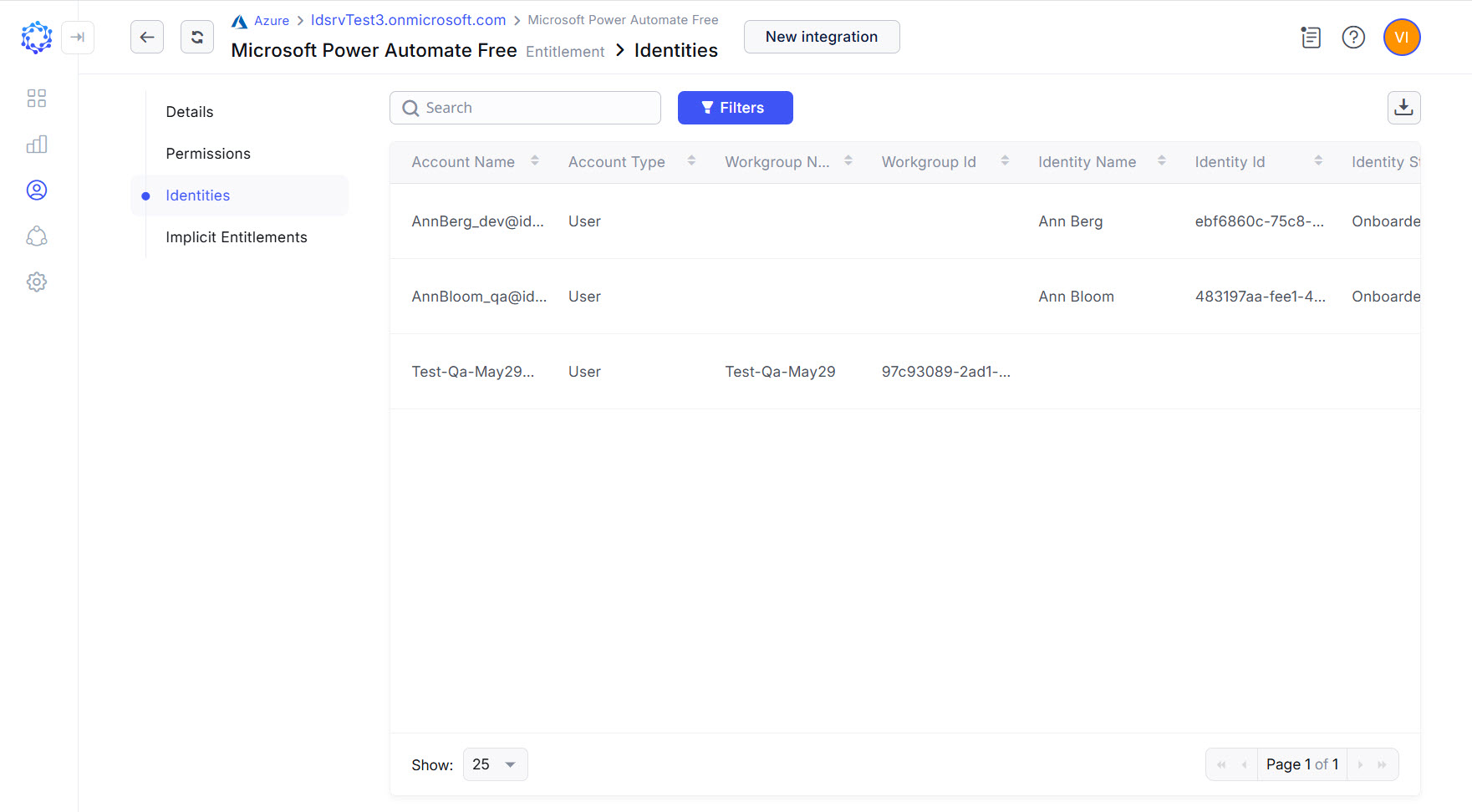 Microsoft 365 accounts
Microsoft 365 Licenses
The Entitlements grid filtered by the License permission type provides the Microsoft 365 licenses, which via Requests can be assigned and revoked for an account. For the same purposes, it is possible to use the Entitlements analytics report. Additionally, it can also filter the licenses by their additional properties, such as the number of active licenses versus the number of consumed licenses, and so forth.
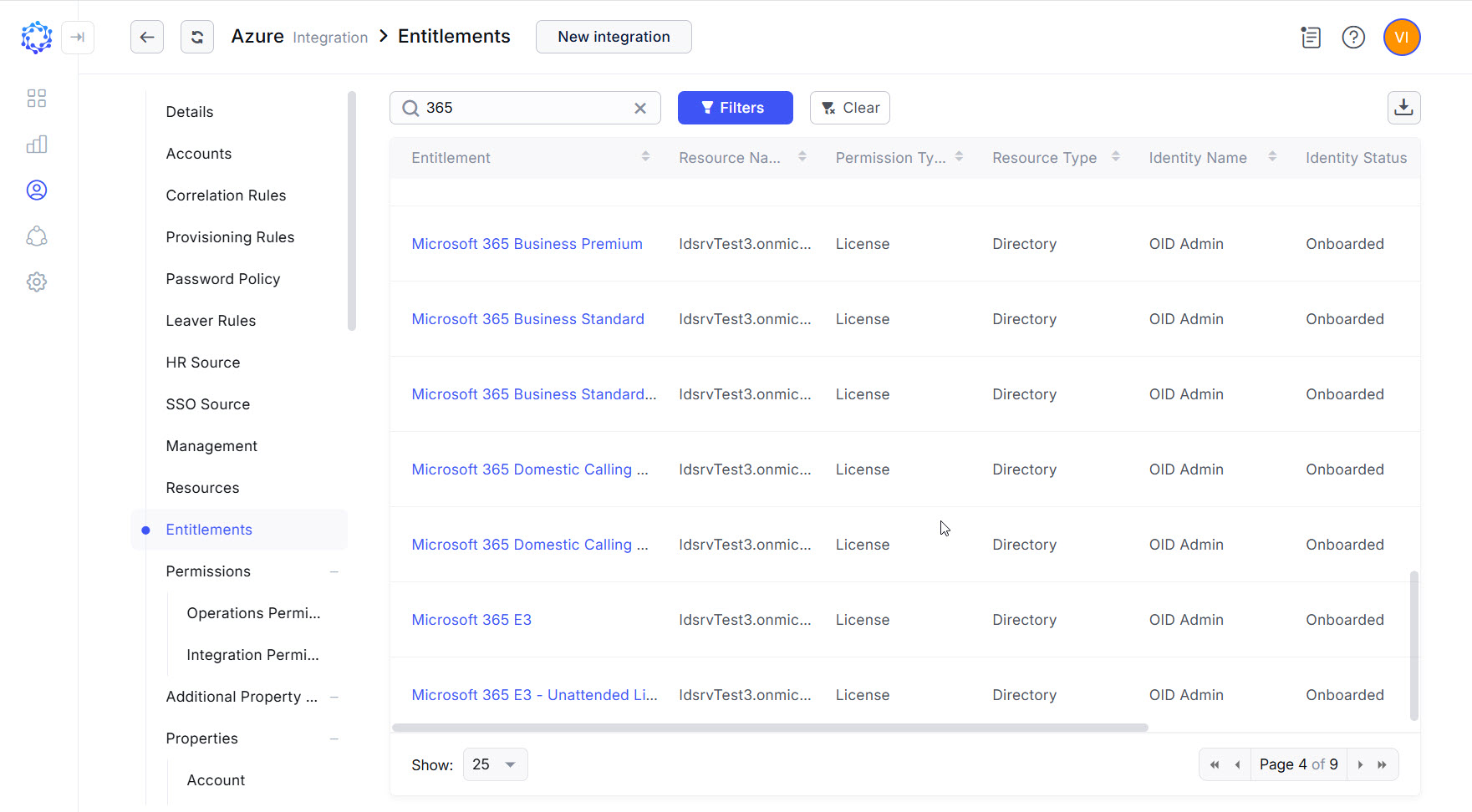 Microsoft 365 licenses
Microsoft 365 Groups
The Entitlements grid of the Azure AD integration filtered by the AD Groups permission type shows the groups of the Microsoft 365 group type and the groups of the Security group type. If to use the Entitlements report type in the Analytics and create a selection of AD Groups of the Microsoft 365 group type only, it is possible to have the pure selection of Microsoft 365 groups.
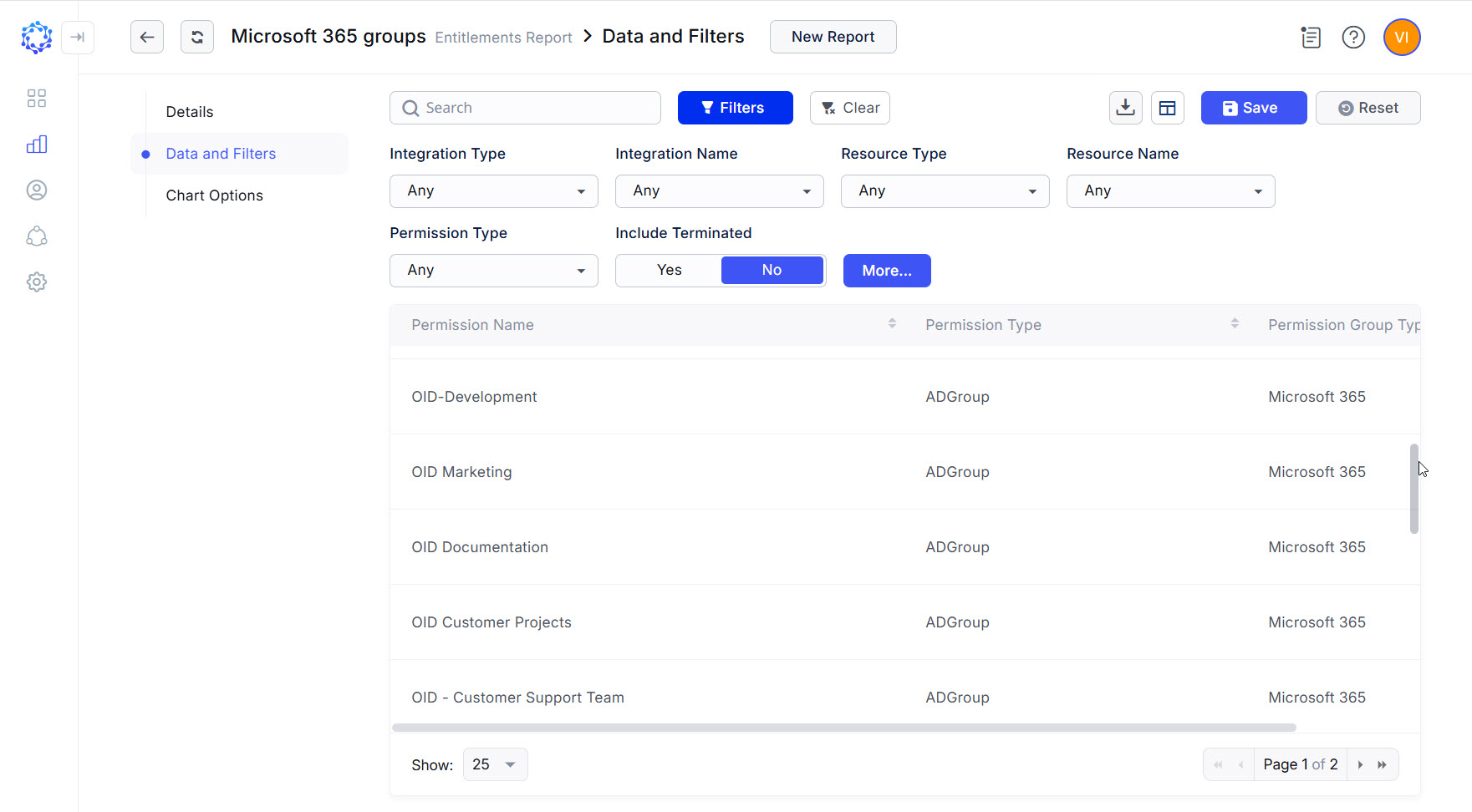 Microsoft 365 groups
Azure AD Roles
The Entitlements grid of the Azure AD integration filtered by the AD Roles permission type shows the admin roles with Implicit Permissions defining the access. A role provides Microsoft 365 privileges, if its Implicit Entitlements include the respective permissions.
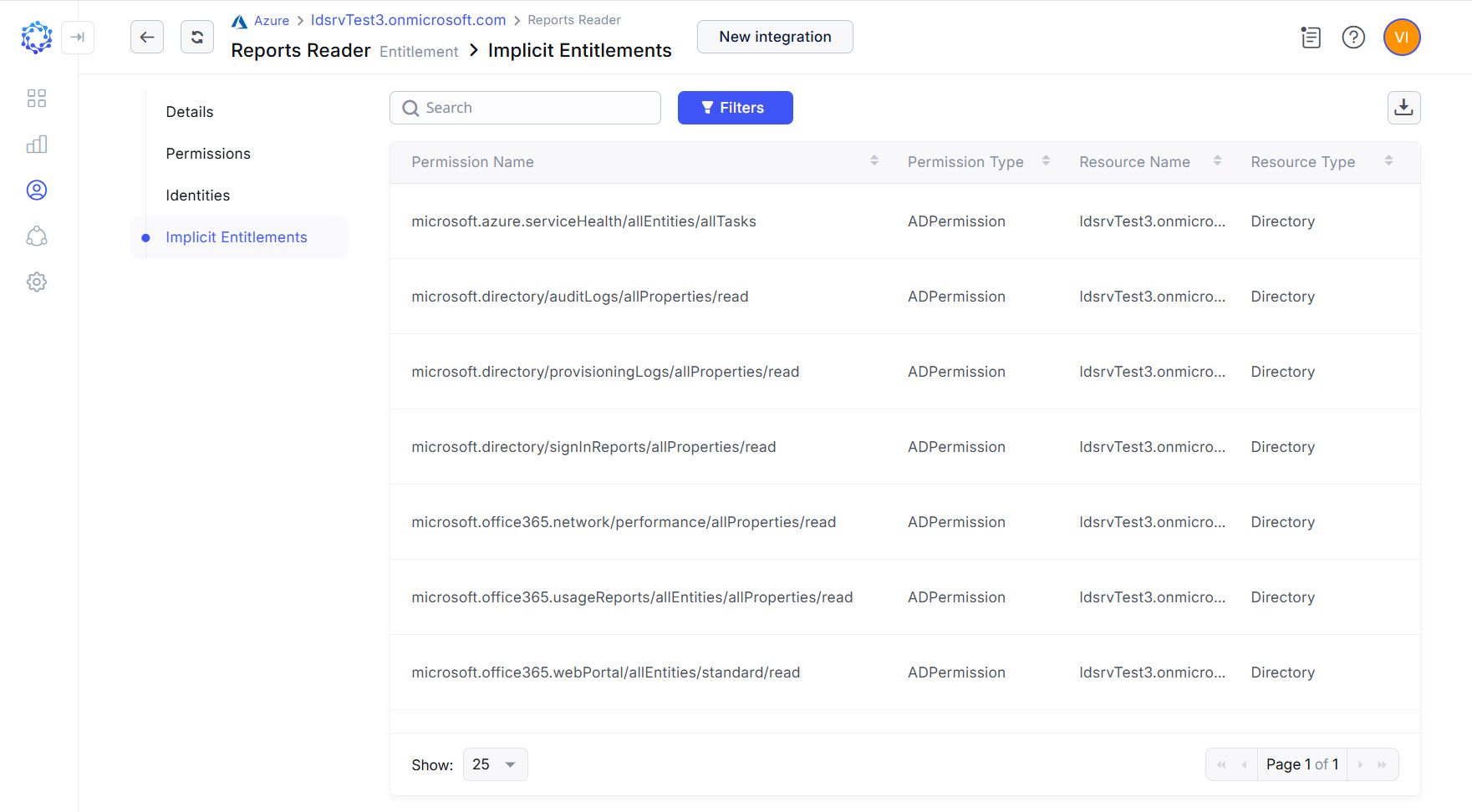 AD Role with Microsoft 365 access