
Oracle Fusion ERP integration, REST API, basic authentication
The Oracle Fusion ERP integration, utilizing the REST API integration type, provides user and access information essential for security and compliance tasks conducted in ObserveID. Communication with the target system is maintained through the REST API for Oracle Fusion Cloud Financials 23B and the SCIM REST API. Once the integration set up and configured, an IT security manager can review the available roles for every user, adjust provisioned access, grant new access, or revoke unnecessary or redundant entitlements. This section discusses the ObserveID Oracle Fusion ERP integration, offering a general overview of available operations, detailing the integration data schema, and outlining the setup and configuration parameters.
In this section:
- Overview
- Oracle Fusion ERP integration operations
- Pre-requisites to setup of Oracle Fusion ERP integration
- Setup of Oracle Fusion ERP integration
- First load of data from Oracle Fusion ERP
- Coding integration rules
Overview
Oracle Fusion ERP is the leading cloud-based enterprise resource planning (ERP) solution that organizations use to manage daily business activities. The integration of ObserveID with Oracle Fusion ERP allows for the management of accounts and entitlements sourced from the target system. Users can review and track changes in access, analyze current access levels, and grant new entitlements or revoke existing ones.
The following REST API endpoints are used for the operations related to the Oracle Fusion ERP integration:
|
Operation |
Endpoint |
|
To test the connection to the integration |
|
|
To pull the accounts |
|
|
To pull the roles |
|
|
To retrieve the latest resource (the |
|
|
To pull data securities after the retrieval of latest resource |
|
|
To create, delete, update account credentials, update account additional properties, lock or unlock an account |
|
|
To update data securities |
|
- User
- Role
- DataSecurity
No additional or custom fields are used or pulled from the objects.
To create an Oracle Fusion ERP integration in ObserveID and get it ready for the use, the base setup and configuration flow includes the following steps:
- Prerequisites must be implemented on Oracle Fusion ERP for ObserveID.
- Connection parameters must be set up on ObserveID for Oracle Fusion ERP.
- First load of data from Oracle Fusion ERP to ObserveID should be successfully completed.
- Coding integration rules according to the business case requirements is the final step before the system is ready.
Oracle Fusion ERP integration operations
An Oracle Fusion ERP integration can perform the following operations on the Integration Data:
|
Integration Operation |
Used by |
General description |
Integration-Specific Requirements |
|
Account Management | |||
|
Pull Data |
Manual Remediation |
On Certification, if an Oracle Fusion ERP account is determined to have unwanted entitlements, a ticked can be created in a third-party ITSM system for manual remediation. |
Correlation and Customization Rules to be established. |
|
On Identity Offboarding, a ticket can be created in a third-party ITSM system to terminate the Oracle Fusion ERP account in alignment with the Leaver Rule requirements. |
Correlation, Customization, and Leaver Rules to be established. | ||
|
Entitlements Analytics | |||
|
Pull Data |
Risk Scoring |
An Identity gets an increase in the Risk Score if their Oracle Fusion ERP account is included into the Violation report. |
Correlation and Customization Rules to be established. |
|
Target Management | |||
|
Pull Data |
Data Import task |
Within the Oracle Fusion ERP integration, the Integration Data is imported from Oracle Fusion ERP to ObserveID. |
For what the Integration Data is fetched from the Oracle Fusion ERP target, refer to the Oracle Fusion ERP Integration Data schema. |
|
Correlation and Customization Rules can be configured to recognize the Identity for an account and recognize the account type. |
Refer to the requirements to Correlation and Customization Rules. | ||
|
Test Connection |
Test Connection, Data Import task |
It is possible to troubleshoot if there is a connection between ObserveID and the Oracle Fusion ERP target. |
Test Connection button in Details of the integration. |
|
Integration Operation |
Used by |
General description |
Integration-Specific Requirements |
|
Account Management | |||
|
Create Account |
Permanent Access Request, Temporary Access Request |
An integration can create accounts. It requires Additional Properties to be established for accounts. The Additional Properties are coded with Provisioning Rules. |
The Additional Properties mandatory on the Oracle Fusion ERP account creation are:
Refer to the requirements to Provisioning Rules. |
|
Credentials Update |
Password Change Request, Privileged Access Management or Firecall Unlock Request |
A password can be set for an account on Account Creation, or updated with a workflow according to the Password Policy. For Privileged or Firecall account types, the password can be rotated. |
Depends on the implementation of account creation operation. |
|
Delete Account |
Account Removal, the Finish action on Temporary Access Request |
An integration can delete accounts. The respective history records are stored for every Identity. |
Specify if any requirements. |
|
Offboarding, Emergency Deprovisioning |
With an Identity is terminated, their Oracle Fusion ERP account(-s) are deprovisioned according to the Oracle Fusion ERP Leaver Rule. |
Specify if any requirements. | |
|
Lock Account |
Privileged Access Management, Firecall Unlock Request |
When an integration unlocks and locks the Privileged or Firecall accounts, it sets the usage period for the account. |
Specify if any requirements. |
|
Unlock Account |
Privileged Access Management, Firecall Unlock Request |
Specify if any requirements. | |
|
Update Account Additional Properties |
Identities Update |
Account properties can be updated if an Identity’s property has changed. Provisioning Rules should be configured to pass an Identity’s property to the account. |
The Additional Properties allowed on the Oracle Fusion ERP account update are:
|
|
Entitlement Management | |||
|
Grant Account Entitlements |
Permanent Access Request, Temporary Access Request, Manage Access |
An integration can assign an account with an entitlement. |
An Oracle Fusion ERP account can be assigned with:
Specify if any preferences exist regarding the type of entitlements. |
|
Revoke Account Entitlements |
Manage Access, Identities Update |
An integration can revoke an entitlement from the account. |
An Oracle Fusion ERP account can be revoked of:
Specify if any preferences exist regarding the type of entitlements. |
Pre-requisites to setup of Oracle Fusion ERP integration
There are pre-requisite activities that are required to be performed on the Oracle Fusion ERP target before the Oracle Fusion ERP integration is configured on the ObserveID side. Below is a short overview of the pre-requisites to complete:
|
Parameter |
Description |
|
|
User intended for ObserveID. |
|
|
Credentials of the user intended for ObserveID. |
|
|
Service Role is a custom role created with the following policies and assigned to the service account.
|
|
|
Data Role is a custom role created as follows and assigned to the service account.
|
|
|
The base URL of the Oracle ERP Cloud system. |
Setup of Oracle Fusion ERP integration
For the configuration of Oracle Fusion ERP on the ObserveID side select the REST API integration type in the New integration popup.
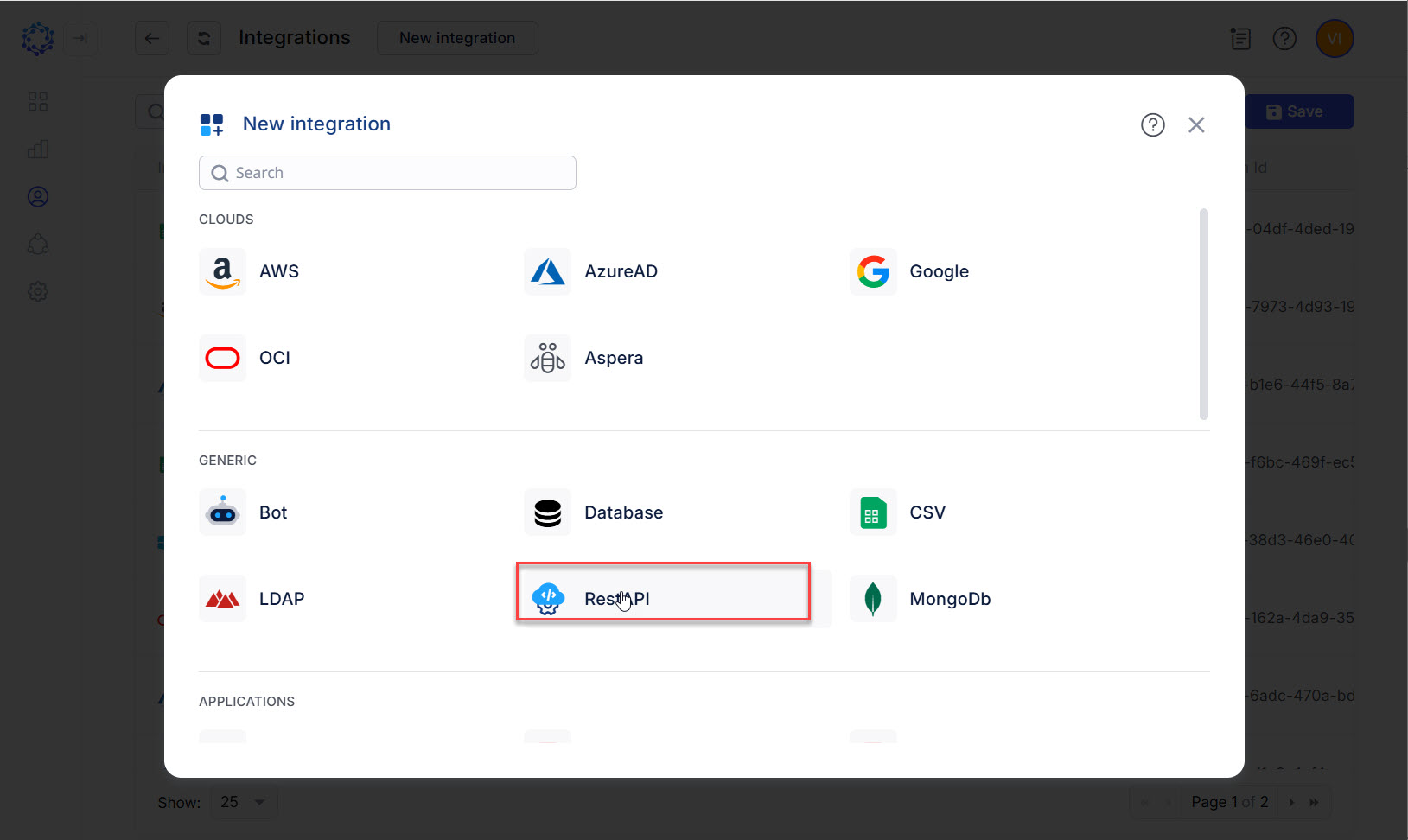 REST API integration type
The configuration determines how the Universal Connector should set up connection to Oracle Fusion ERP as a target system. The configuration parameters are described below and available on the Details page of the integration opened as follows: ObserveID > Identity Automation > Integrations > {specific Oracle Fusion ERP integration} > Details
|
Parameter |
Description |
|
Environment Type |
Environment the new integration pertains to. The Na option establishes no environment. |
|
Integration Name |
Automatically generated name for the new integration. The name is created by combining the Integration Type with what is established as Environment Type, Alternate Name, and Description for the new integration. |
|
Alternate Name |
Any preferred name for the new integration. |
|
Description |
Any valid text to differentiate one integration from another. This text is displayed in addition to the integration name in several UI elements, e.g., dropdown lists, in the system. |
|
|
The base URL for API calls. |
|
|
The Basic Authentication option to be selected from the Authentication Scheme Type dropdown list. |
|
|
The username and the password as the credentials of the service account created on Oracle Fusion ERP and intended for the integration with ObserveID. |
|
| |
|
|
Below are the operation rules listed, which are mandatory and required to be inserted into the code boxes on the Operation Rules tab for the integration creation:
For the code samples for the rules, refer to the respective Code Samples section. |
Once the Details are filled out, remember to click Save. And then to click Test Connection. Both should be successful. Otherwise, use the Access Log to troubleshoot the configuration.
First load of data from Oracle Fusion ERP
After the integration configuration is set up for Oracle Fusion ERP in ObserveID, and the connection test is successfully completed, next is the first load of data. The DataImport task does all the import: the first load and whenever it is needed to fetch the latest data from the target since then.
- The DataImport task created for the Oracle Fusion ERP integration is available in: ObserveID > Identity Automation > Workflows > Tasks
The DataImportTask is considered finishing successfully, if the integration data (i.e. accounts, entitlements, resources, and additional properties) is imported and shows up for the Oracle Fusion ERP integration in ObserveID.
Coding integration rules
By C#-coding the integration rules, the functional capabilities of the Oracle Fusion ERP integration become ad-hoc configured to meet the requirements of a specific business case.
|
Functional area |
Integration Rules |
Description |
Dependable variables \ Parameters |
|
Identity correlation |
Correlation Rule |
The correlation establishes the Identity as the owner of an account. For example, the name property of the Oracle Fusion ERP account can be compared with the name property of the Identity and, thus, utilized for the correlation rule unless business-driven needs require otherwise. |
Identity’s Oracle Fusion ERP account’s |
|
Differentiating accounts by type |
Customization Rule |
The customization establishes the pattern for an account name to follow to differentiate between the account types, such as:
For example, given that Oracle Fusion ERP uses the name of the Identity to create the login name of an Oracle Fusion ERP account, the name of the Identity is used to differentiate the Oracle Fusion ERP accounts by type. |
Identity’s |
|
Account Creation |
Provisioning Rules |
There are three Provisioning Rules that are intended to establish the following mandatory additional properties of an Oracle Fusion ERP account on its creation:
A code sample is provided in the next section for each of the Provisioning Rules. |
Identity’s |
|
Identity Termination |
Leaver Rule |
To be defined once the account creation operation is defined In general, the Leaver Rule defines how to treat the Oracle Fusion ERP accounts if an Identity gets terminated. . Also, the Leaver Rule can be used for manual remediation using ticket creation in a third-party ITSM system to terminate the accounts manually directly on the target system in case of Identity offboarding. |
n/a |