
HR Source Check of Identities
This is the scenario of steps to run the HR Source Check. It aims at detecting status changes in the HR Source accounts that can impact the current status of the existing Identities. Given that the status changes are provided in the corporate HRM system outside of ObserveID, when the HRM system is set up as one of the integrations in ObserveID and enabled as a HR Source, then the changes come in to ObserveID as the changes of the HR Source accounts. The HR Source Check then can detect those changes and launch respective workflows to implement the required processing.
During the lifecycle the Identities can move from one status to another. The HR Source Check detects those status changes and launches respective workflows to implement the transition and properly reflect the current status of every Identity. In this section:
- Prerequisites to HR Source Check
- Scenario of HR Source Check of Identities
- How to run HR Source Check of Identities
- Results of HR Source Check
Prerequisites to HR Source Check
|
|
Prerequisite |
Description |
|
1 |
|
The name, email and maybe, other mandatory attributes, for example, such as the
Otherwise, it is important to resolve the issues, if any, and ensure respectively the integrity and consistency of the Integration Data. |
|
2 |
User accounts or Privileged accounts |
The User type, or Privileged type must be established for those HR Source accounts that are intended for reinstating Identities from. To set up an account to be User, or Privileged, it is possible to use:
|
|
3 |
Configure the HR Source Leaver Rule for each of the HR Source integration. |
By configuring each HR Source Leaver Rule, the user determines the pattern for how to identify a terminated account among other accounts in the source HRM system in the corporate infrastructure. |
|
4 |
Configure the HR Source Reinstatement Rule for each of the HR Source integration. |
By configuring an HR Source Reinstatement Rule, the user determines the pattern for how to identify a re-activated account among other accounts in the source HRM system in the corporate infrastructure. |
An organization can have one or some HR Source integrations. Thus, the prerequisites above must be performed for all HR Source integrations.
Scenario of HR Source Check of Identities
To run the HR Source Check of Identities, the user is expected to do the following:
- Update the status of existing account(-s) in the HR Source target system.
- Run the Data Import task for the HR Source integration in ObserveID.
- Define the imported account(-s) to be User, or Privileged.
- Run the HR Source Check task in ObserveID.
Once the changes detected, all affected existing Identities get one of the following statuses:
- the
Terminatedstatus, if the respective HR Source account was detected to be terminated with the integration-specific method, for example: deleted, or locked, or established inactive, etc.; - the
Pendingstatus, if the respective terminated HR Source account was detected to be resumed in the usage by means of the integration-specific method, such as: being restored, or unlocked, or activated, etc. Such pending Identities get theirActivestatus back only after the reinstatement is finished.
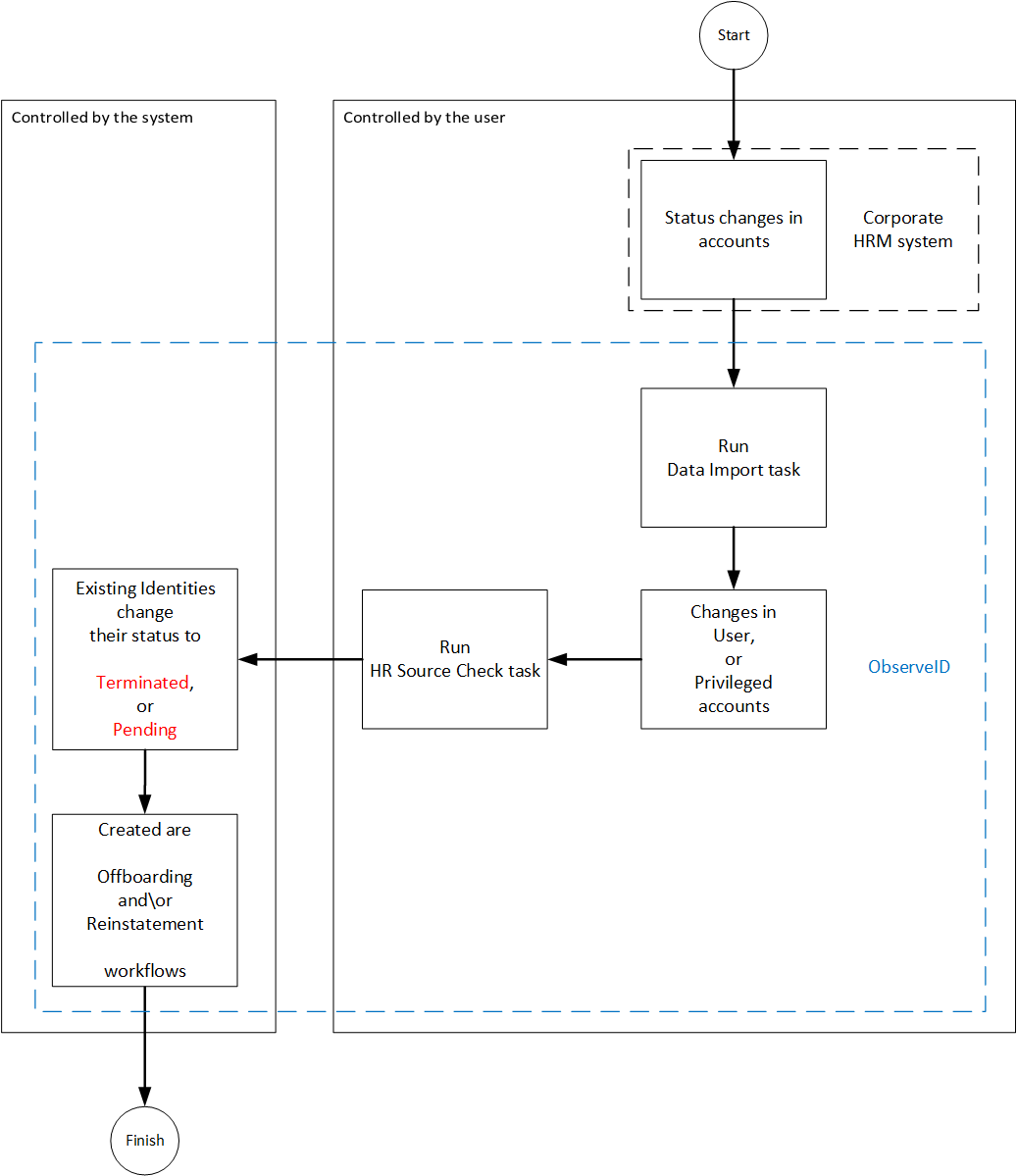 HR Source Check scenario
The scenario of the HR Source Check of the Identities on the diagram above shows actions performed by the user, and the area of activity controlled by ObserveID for the user. The scenario involves the following systems:
- the third-party corporate HRM system;
- ObserveID.
How to run HR Source Check of Identities
To run the HR Source Check of Identities, do the following:
- In the HRM system, provide the required status changes to the existing accounts.
- In ObserveID, run the Data Import task for the HRM system integration by:
- clicking the Trigger icon for the task in the Tasks grid;
- waiting for a while and clicking the Refresh button in the header until the status of the task to change from Triggered to Idle;
- clicking the task and then clicking History to verify that the task finished successfully. Otherwise, troubleshoot and trigger the task again.
- In ObserveID, go to the Accounts of the HRM system integration and verify:
-
The status changes in the HR Source accounts are reflected in the grid. As a rule, the status changes are displayed in the
Is Lockedcolumn.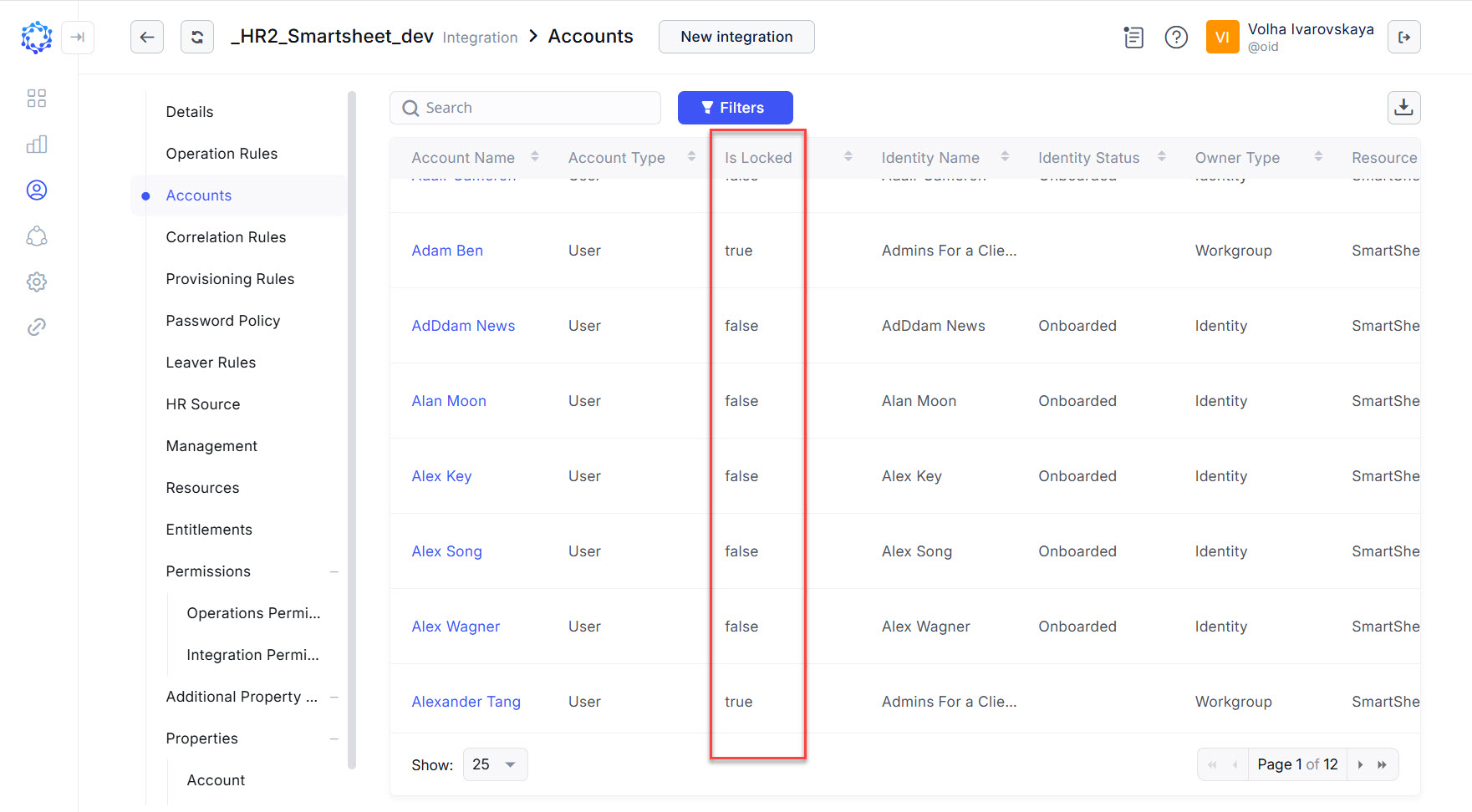 isLocked property of HR Source Accounts
 The exact implementation of what information the
Is Lockedcolumn shows can differ for different integrations. It accounts for the context of a specific integration. However, in general, it is the current status of the HR Source accounts: whether it is in use, or not in use. -
Also, for the reinstatement, it is important to make certain that the HR Source accounts intended for the re-activation have the
User, orPrivilegedtype.
-
- In ObserveID, run the HR Source Check task by:
-
clicking the Trigger icon for the task in the Tasks grid;
-
waiting for a while and clicking the Refresh button in the header until the status of the task to change from Triggered to Idle;
-
clicking the task and then clicking History to verify that the task finished successfully. Otherwise, troubleshoot and trigger the task again.
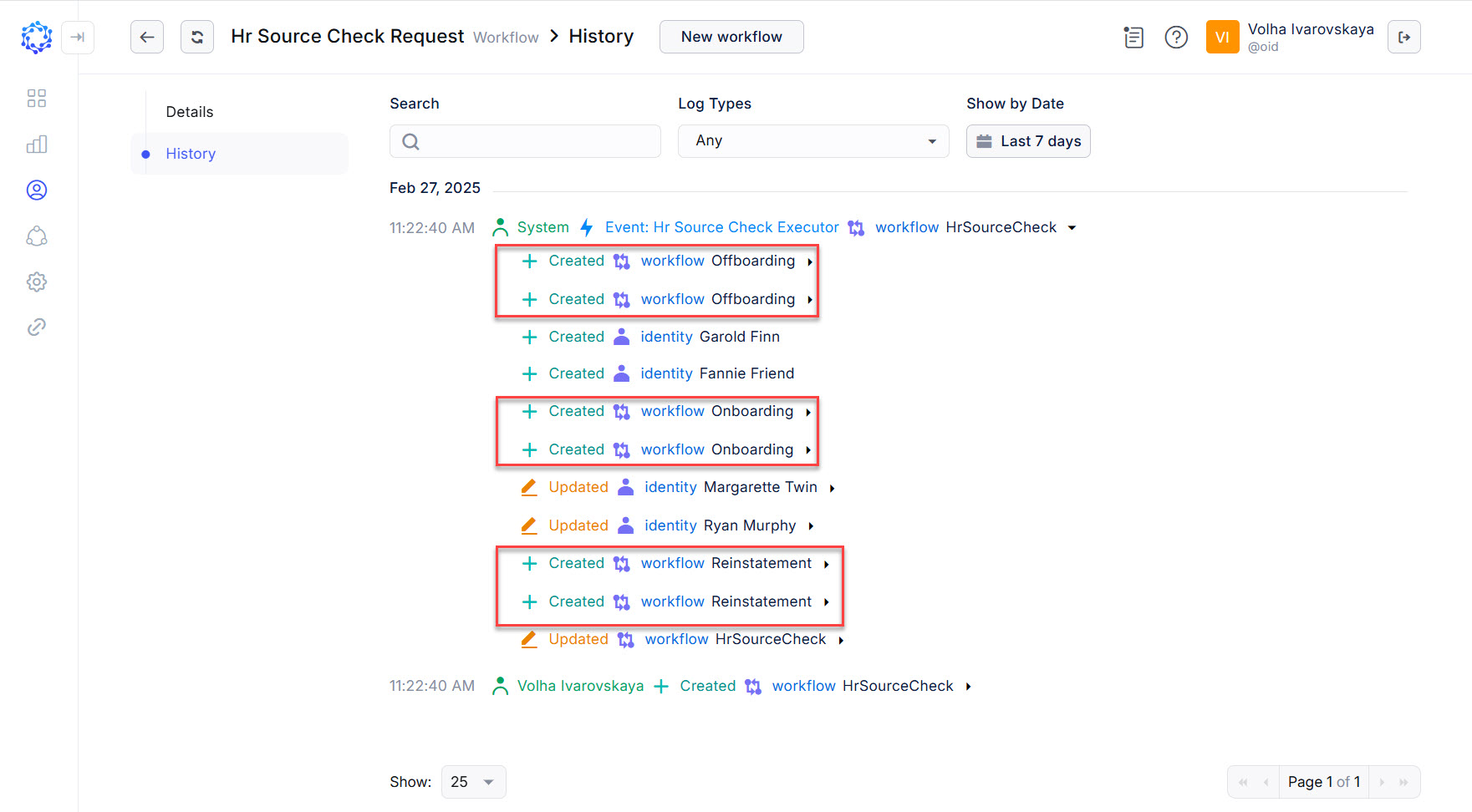 HR Source Check created 6 different workflows based on the detected changes in the integration data
-
Results of HR Source Check
Given that the HR Source Check task has finished successfully, the results will be as follows:
- The status of the existing Identities will change to one of the following:
Terminated- if the existing HR Source account was detected to be terminated;Pending- if the existing HR Source account was detected to be re-activated again.
- The respective workflows will be created:
-
Offboarding workflows in case of terminated Identities - to de-provision all accounts;
-
Onboarding or Reinstatement workflows in case of pending Identities - to provision birthright accounts.
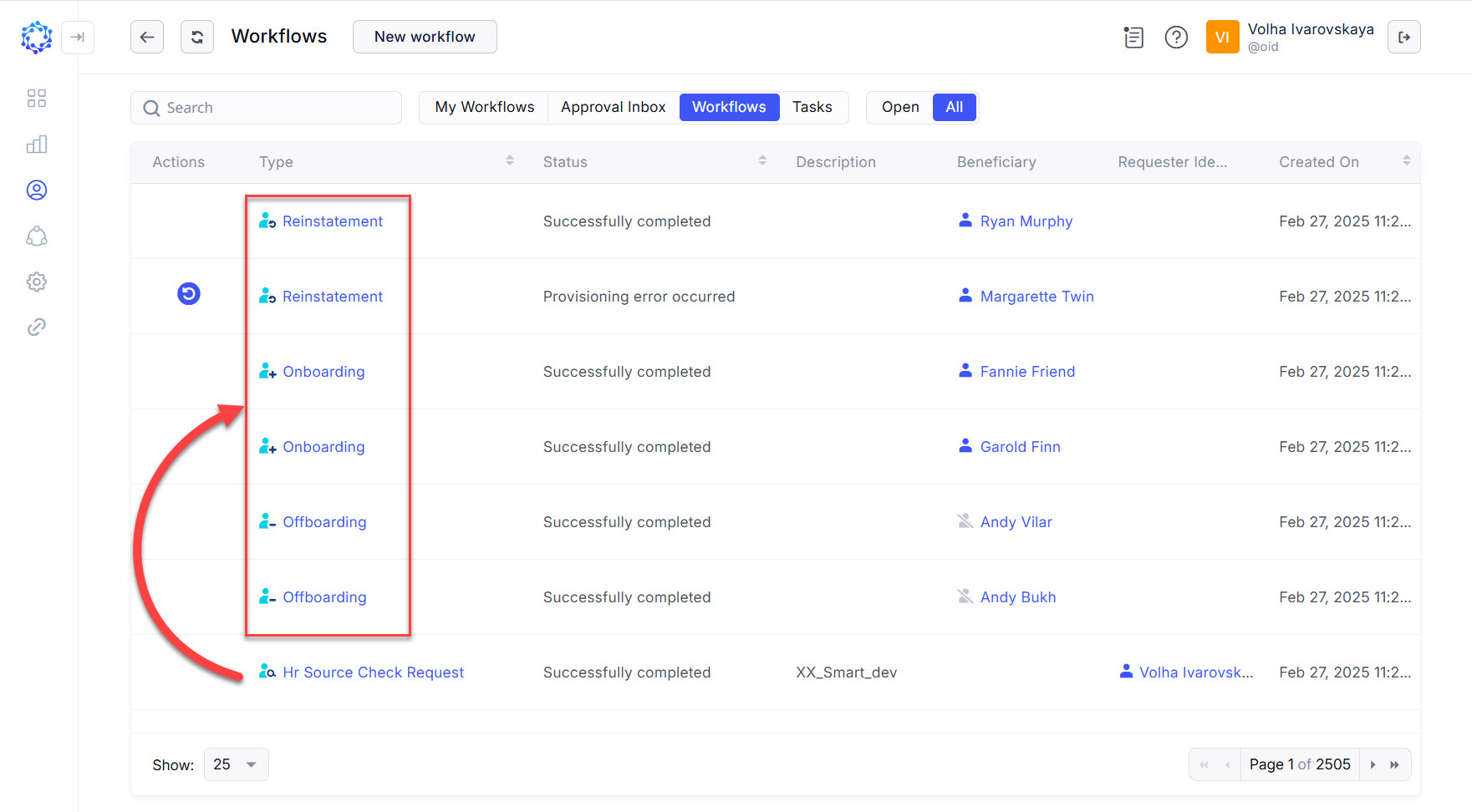 Workflows created by the HR Source Check task
-