
Onboard Identities
This is the scenario of steps to run onboarding for new Identities. During onboarding, the birthright access is provisioned to new Identities. Onboarding is performed automatically by the Onboarding workflow. The triggering event for the Onboarding workflow:
- to be created is the creation of an Identity in the Pending status;
- to be executed is one of the following cases:
- immediately, after being created;
- postponed in alignment with how the HR Source integration the Identity originates from is configured.
Being executed, the Onboarding workflow provisions the access according to the Birthright Role (abbrev. as 'BRR') that the Identity was eligible for at the moment when the Identity was created. All new Identities are created in the Pending status, and after onboarding is done, the pending Identity becomes Active. And with the finished onboarding, the Identity can use the birthright access.
In this section:
- Prerequisites
- Onboarding scenario
- How to run Onboarding
- Onboarding results
Prerequisites
|
|
Prerequisites |
Description |
|
1 |
Configure the Birthright Roles for each use case |
By configuring the Birthright Roles, the user determines what access and with what conditions should be assigned to new Identities when they are onboarded. |
|
2 |
Configure the HR Source integration that the Identities originates from |
By configuring the HR Source integration, and particularly, the Identity Attributes Mapping Rule, it is possible to set up the Start Date for when the Identity is expected to be onboarded. If the Start Date is established, the Onboarding workflow will wait for the Start Date to come and then begin provisioning access. |
|
3 |
Pending Identity |
The new Identity is created, and has the ‘Pending’ status. |
Onboarding scenario
To run onboarding, the user is expected to do the following:
- Wait for the Onboarding workflow to finish. And in case of failure, to resolve inconsistencies, and click Retry to run the Onboarding workflow again manually.
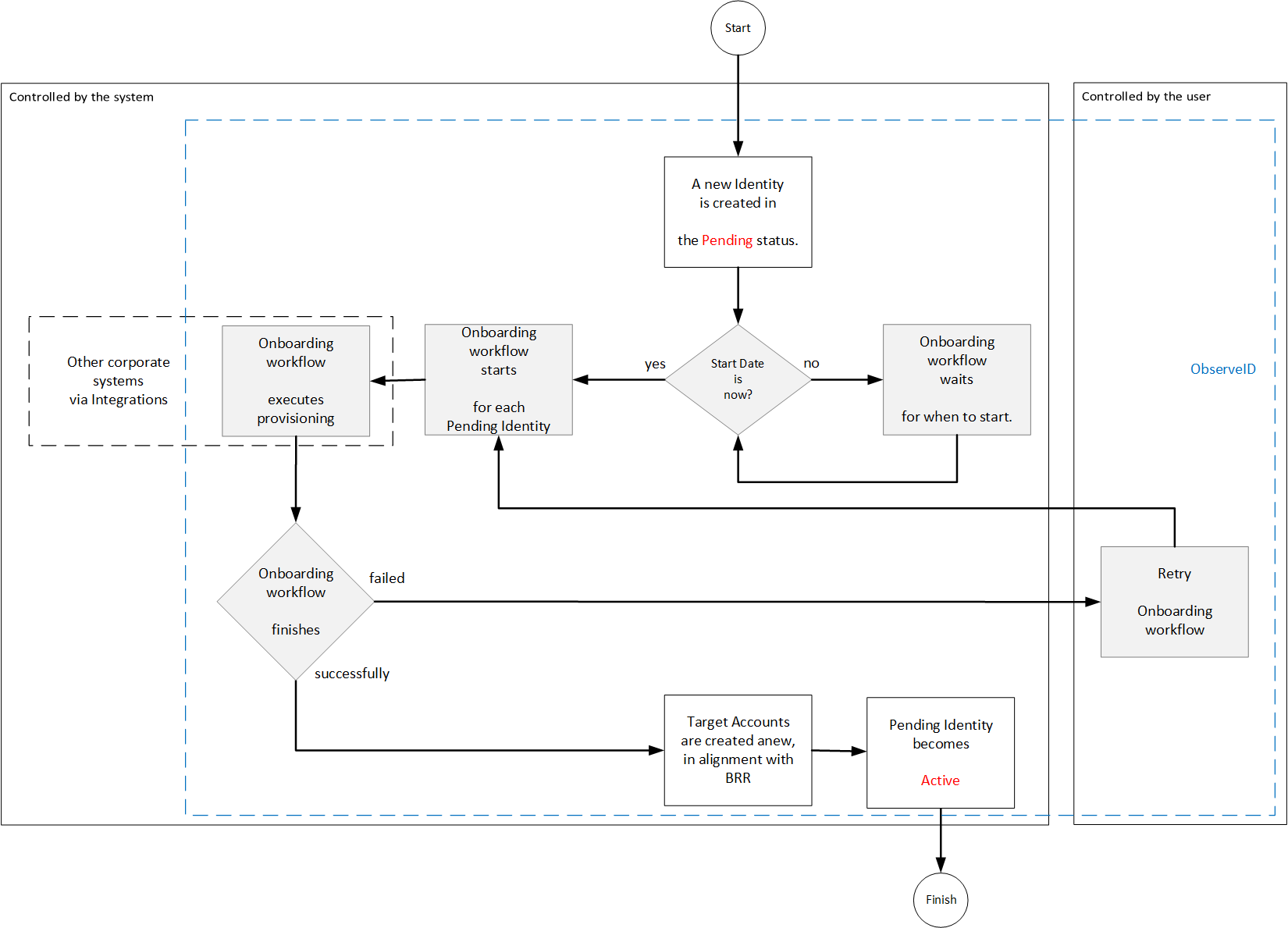 Onboarding scenario
The onboarding scenario on the diagram above shows actions performed by the user, and the areas of activity controlled by ObserveID for the user. The scenario involves the following systems:
- ObserveID;
- Other corporate systems that ObserveID integrates with to manage access of Identities.
The onboarding scenario finishes successfully, if the birthright access is fully provisioned. The provisioning is defined with the Birthright Roles granted according to the conditions configured with the Assignment Rules of the Birthright Roles.
The successfully finished onboarding creates as many Accounts with respective access as it is defined by the Birthright Roles that the onboarded Identity was eligible for at the moment when the Identity was created.
How to run Onboarding
To run Onboarding, do the following:
-
Wait for the HR Source Check to finish in: Identity Automation > Workflows > Tasks.
And when the status of the HR Source Check task changes to Successfully Completed, click the row with the task, and then click History. Make certain that the latest event record has the information:
Created workflow Onboarding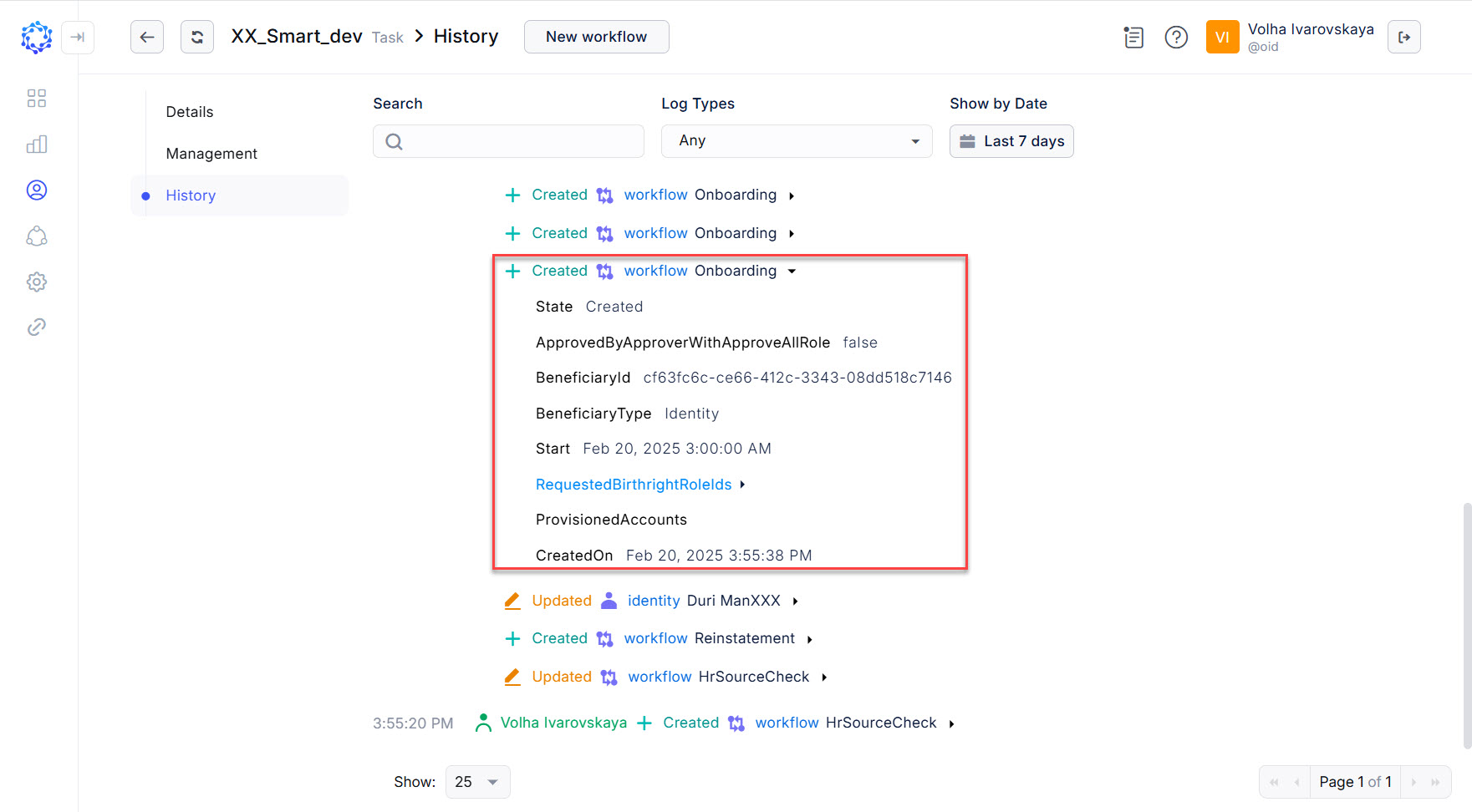 HR Source Check created Onboarding workflow
 -
There will be as many Onboarding workflows created and displayed in the Workflows grid in ObserveID, as many new Identities were created at that moment.
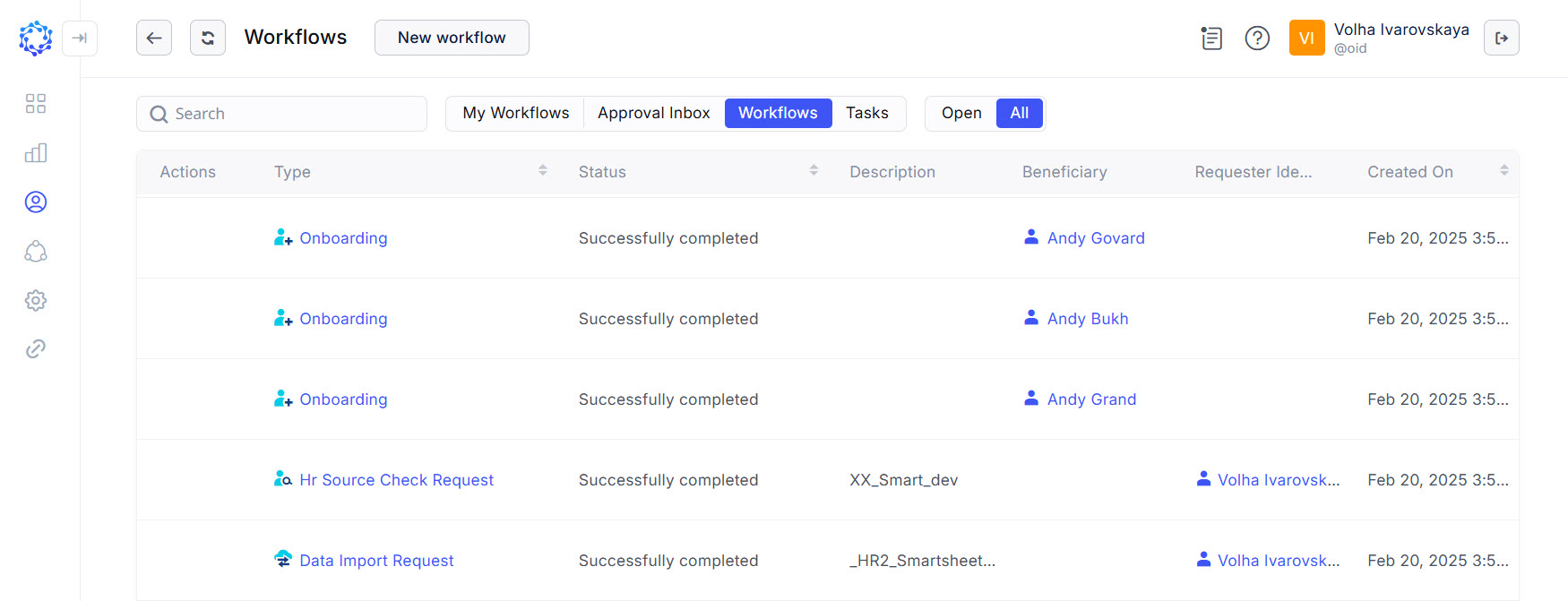 One HR Source Check created multiple Onboarding workflows
 -
Automatically the Onboarding workflows will start provisioning access immediately, or as configured for the Start Date in the HR Source Identity Attributes Mapping Rule. And once the onboarding is finished, the Identity will get the birthright access and change the 'Pending' status into 'Active'.
Onboarding results
Given that the Onboarding workflow finishes successfully, the new active Identity will get:
- the ‘Active’ status.
- Accounts provisioned in line with the Birthright Role.
- Credentials to log in to each Target system within the provisioned Accounts.
Below are two examples: one is the onboarding of the Identity who is not eligible for any Birthright Roles; and the other one is the onboarding that actually assigns the access to the Identity, as during the run of the HR Source Check task it was determined that the Identity is eligible for a Birthright Role. In the first case, the Identity got no accounts. And in the second case, having become Onboarded, the Identity is able to log in to Azure with the Azure Account created on onboarding.
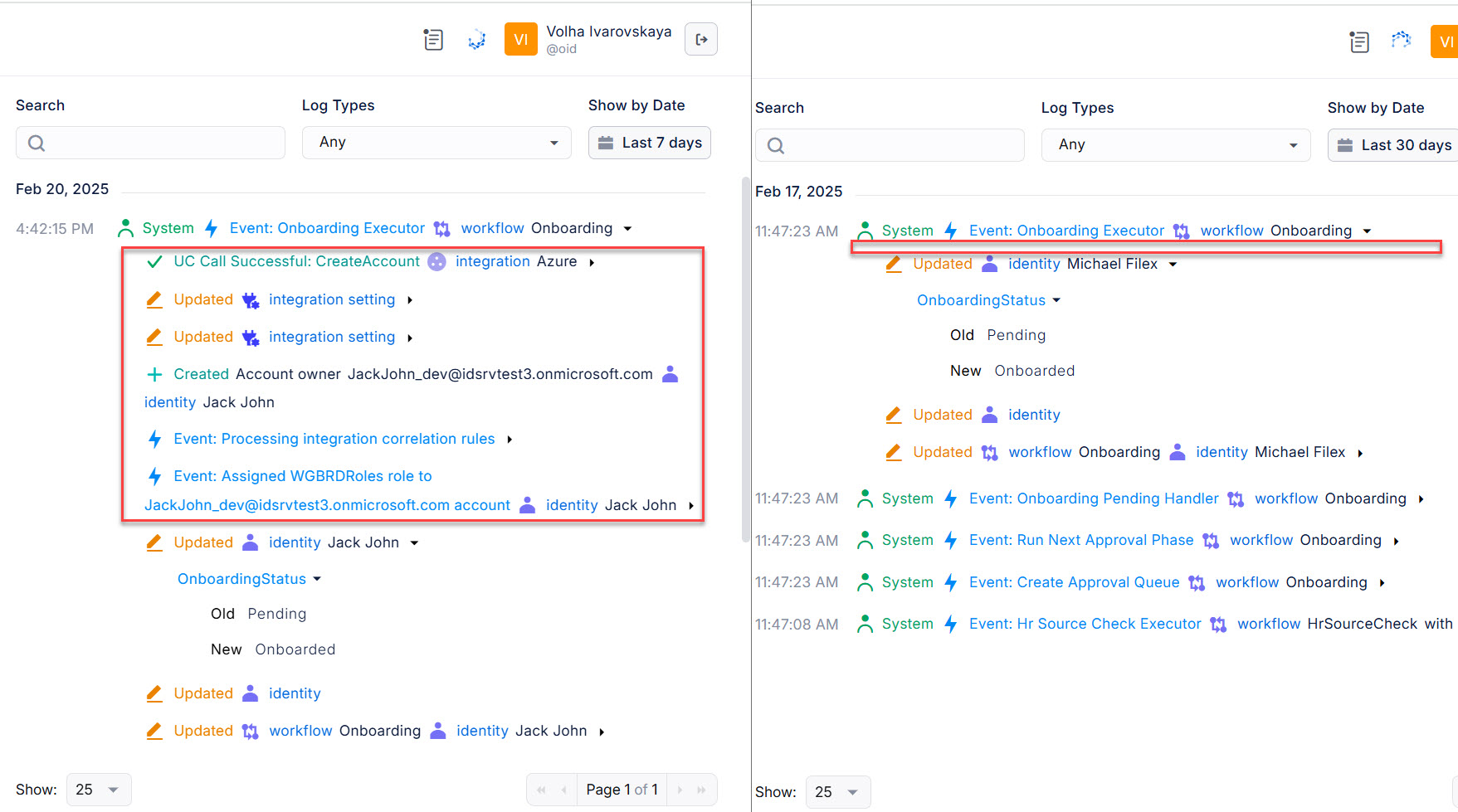 Two Onboarding workflows