
Update Identities
You can run the Identities Update task to:
- update the Details of all Identities with changes that come from the HR Source;
- update the Local Users;
- create Local Users;
- automatically assign Local Permissions to Local Users.
In this section:
- Prerequisites
- Trigger Identities Update
- Details of Identities
- Creation of Local User
- Authorization of Local User
Prerequisites
- The HR Source integration is enabled.
- The initial load of Identities is successfully completed.
- The Data Import task has been triggered and successfully finished immediately before the use of the Identities Update task.
Trigger Identities Update
Given that:
- the integration has been enabled as the HR Source; and
- the initial load of Identities has been successfully completed; and
- the Data Import task has fetched the latest data from the needed HR Source;
when the Identities Update task is triggered and ended successfully, then:
- the Details of the Identity display the latest changes, and
- the Local User of an existing Identity displays the latest changes, and
- a Local User is created for a new Identity, and
- the Local User is assigned with the Local Permission.
Note that the Identities Update workflow has Filters, using which the user can set the needed scope of Identities expected to be updated based on a variety of criteria, for example, whether an Identity pertains to a specific HR Source integration; and\or if they has certain properties; and\or specific date, etc.
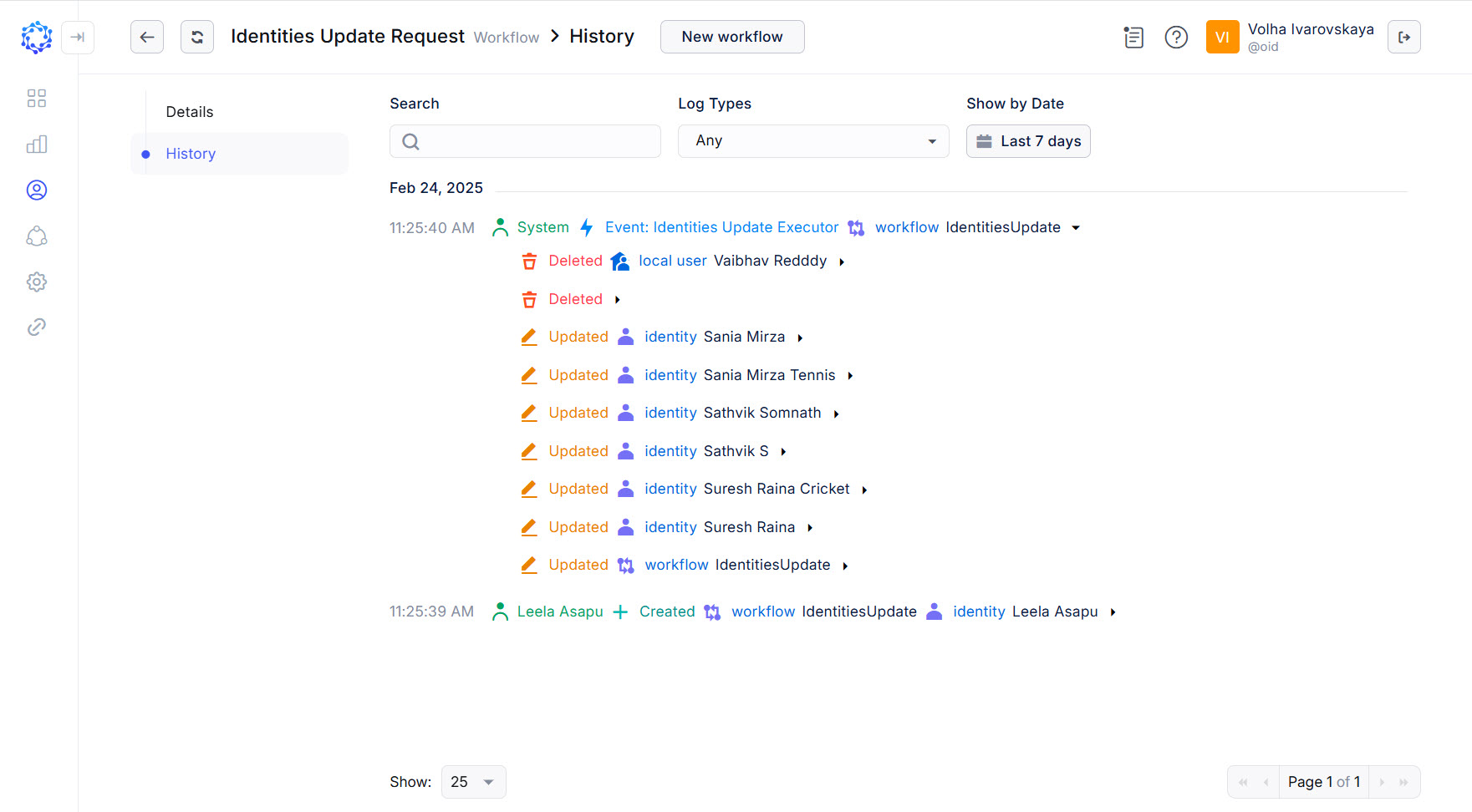 Identities Update updated identities and a local user
To trigger the Identities Update task:
-
either click the Trigger action icon for the task in the Tasks grid;
-
or click Trigger in: Identity Automation > Workflows > Tasks > {Task} > Details.
If triggered, click Refresh a couple of times to notice that the status of the task has changed from Triggered to Idle. It means that the task finished its operation, and the results are ready for use.
Details of Identities
The Details of the Identities that are updated with the Identities Update task are called ‘System Properties’. System Properties are assigned by ObserveID, configured with the HR Source Identity Attributes Mapping Rule and use the integration data that come from the HR Source.
There are two groups of details:
- additional properties that are updated with the Data Import task;
- system properties that are updated with the Identities Update task.
Such system properties as: Name, E-mail, Manager, Start Date, End Date and other are configurable. On the one hand, system properties are established by ObserveID to help identity management. On the other hand, the organization can configure the system properties in alignment with corporate policies and norms.
Additional properties are excluded from any processing and populated for the identity as is, after being imported from the HR Source accounts. Additional properties of identities represent the integration data of a HR Source, aggregated for the identity with the Data Import task.
An Identity represents a real person who is an employee, and/or contractor of the organization. An account represents some access to a system in the corporate infrastructure. Both an account and an Identity are individual single entities. If an account is associated with an Identity, the Identity has access to the system via the account. However, all Identities are created from the information of the accounts of the integration that has been enabled as a HR Source. And as accounts have Details, e.g. like: EmployeeId, Language, Currency, BusinessPhones, etc., so Identities acquire those Details. The Details of the Identities are determined by the information of the accounts of the HR Source integration, and updated with the Data Import task as part of the integration data of the HR Source.
Creation of Local User
The creation of a Local User is performed automatically, when the system detects that an Identity has no Local User. It is created with the Identities Update task, if:
- an Identity is detected to have no Local User, and
- the Identity’s email is unique in ObserveID.
Otherwise, none of Local Users are created.
One Identity can be provided with only one Local User, and if an Identity has already had one Local User, no more Local Users will be created for such Identities. If the identity is happened to be offboarded, the Local User is deleted as part of the offboarding process.
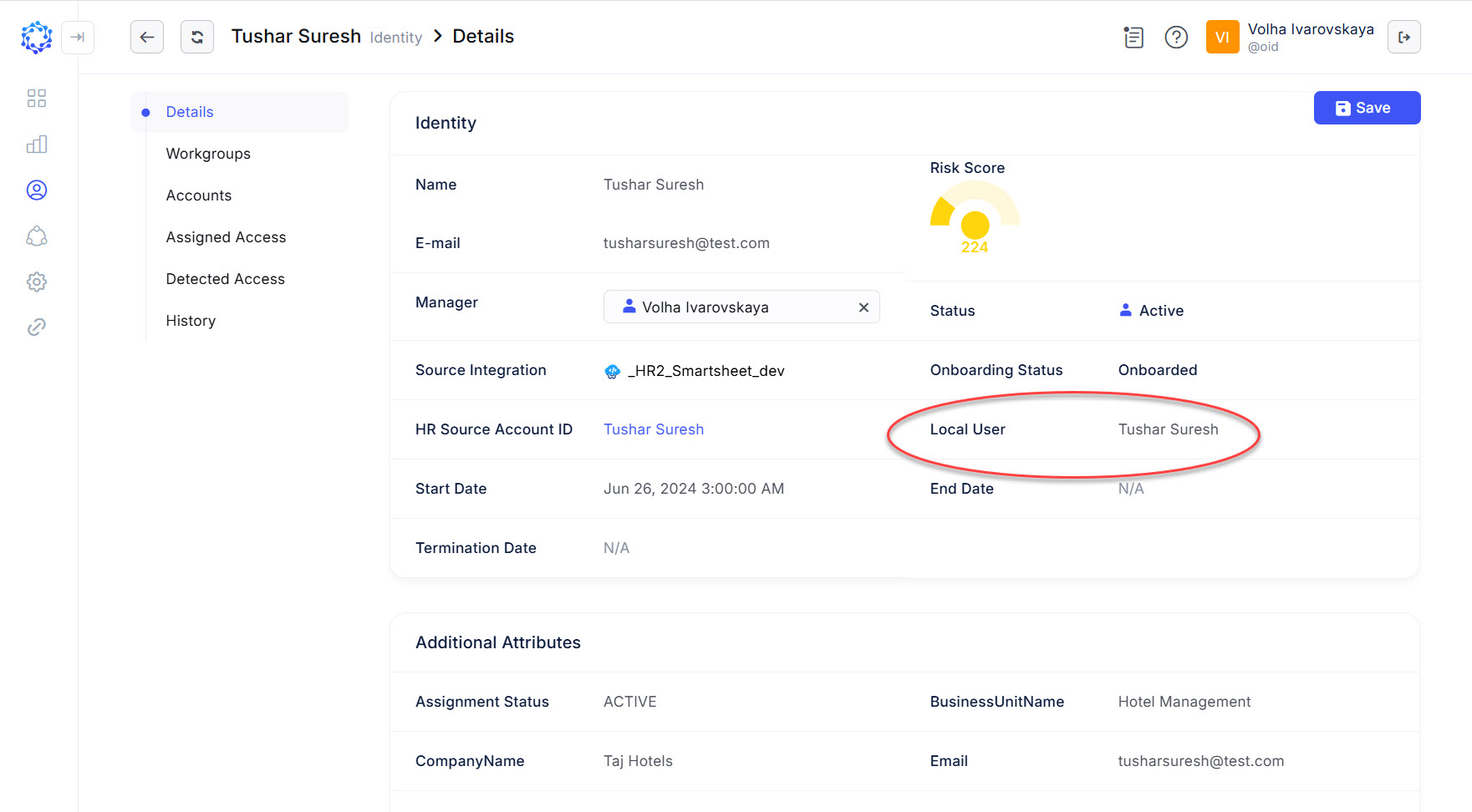 Local User
Authorization of Local User
For authorization of the Local User in ObserveID, the Identities Update task uses the oidUserRole parameter of the Identity Attributes Mapping Rule of the respective HR Source, and assigns the Local Permission to the Local Users in line with the value of the oidUserRole parameter. For the value, the name of the Local Permission is accepted. The oidUserRole parameter can be provided with only one Local Permission. If some privileges are required to be assigned to the Local Users, it is needed to create another Local Permission with the required privileges, and specify it for the oidUserRole parameter.
The Local Permission is assigned simultaneously to all existing and new Local Users. If the value of oidUserRole parameter changes, then with the Identities Update task the new local permission replaces the former value for all existing and new Local Users.
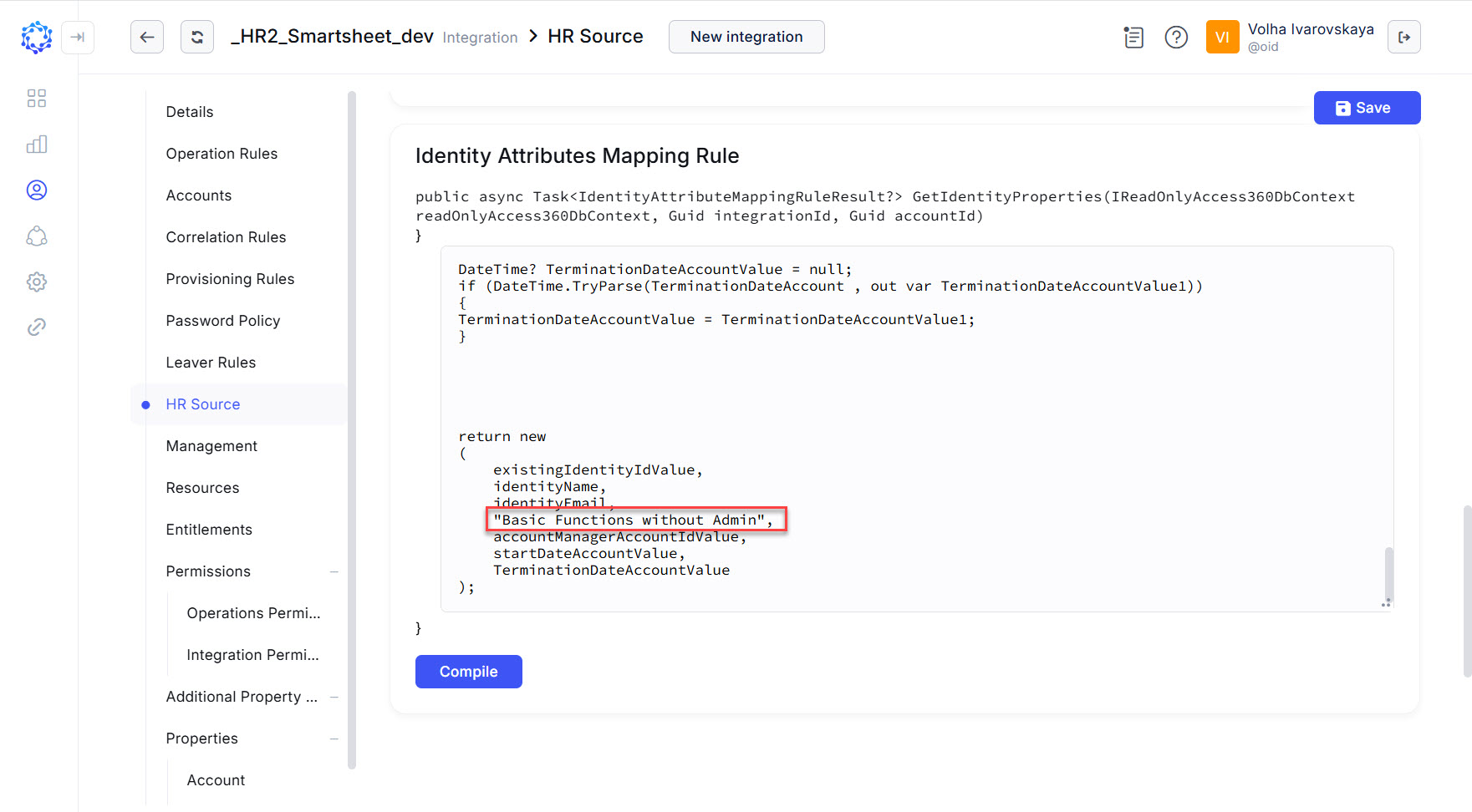 The 'Basic Functions without Admin’ local permission to be assigned to Local Users