
Identity Workgroups
The Workgroups page opened for a specific Identity shows the Workgroups that the Identity has been added to. Workgroups unite different Identities by a user-defined criterion, like Job Title, Project Role, Department, etc. Workgroups are used for approvals. If a Workgroup the Identity has been added to is established as the Owner, for example, of a Role, then any of the members of the Workgroup, including the current Identity, can be asked for an approval, when the Role would be updated, or deleted, or used for access provisioning.
Additionally, Workgroups can be beneficiaries of the access requests and own workgroup accounts. Such accounts are visible to their workgroup members. If a member identity checks out the password, all other member identities see the message which says: “Session has already been started“, till the Identity would check the password in. Once checked-in, another Identity is entitled to check it out.
If an Identity is added to a Workgroup, this Workgroup is displayed for the Identity in: Identity Automation > Identities > {Identity} > Workgroups
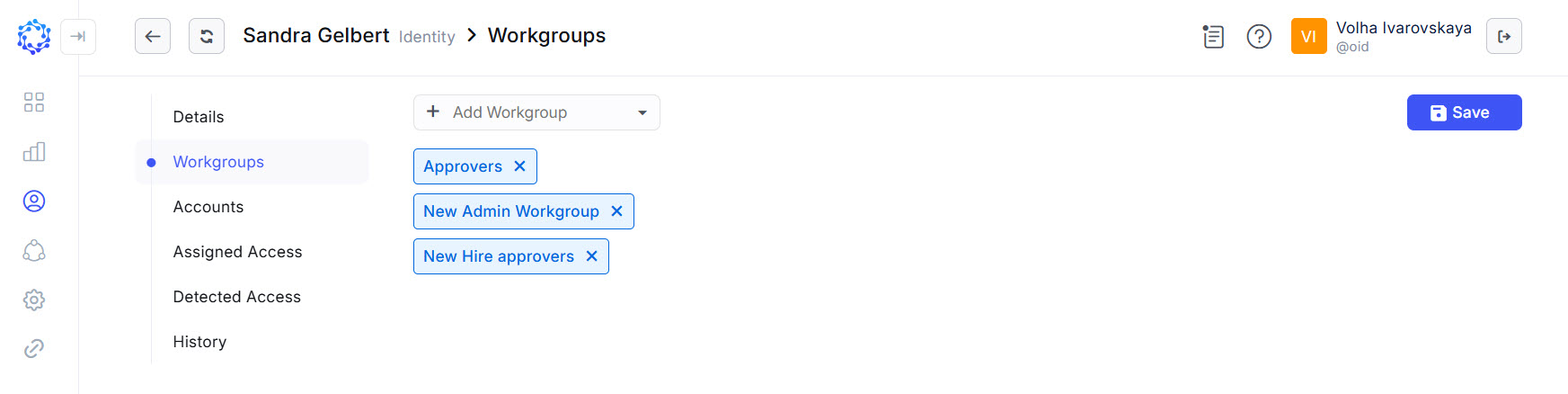 Identity membership in Workgroups
To add the current Identity to another Workgroup, do the following:
- Select a workgroup from the Add Workgroup dropdown list.
- Click Save.
To remove the current Identity from a Workgroup, do the following:
- Click the ‘cross’ icon on the Workgroup label.
- Click Save.