
Accounts of an integration
The Accounts option inside the integration (see the vertical left-hand menu, second level) shows the full list of all accounts existing in the integration and imported to ObserveID as a part of the integration data.
The Accounts grid displays the system settings, account entitlements and additional properties for every account. The system settings help to support the account lifecycle. Entitlements show the access assigned through the account. And additional properties reveal extra information about the account. Both entitlements and additional properties are integration-specific, and to understand what data is displayed, refer to the specification of the needed integration. Below is the description of the system settings available for an account and often being common across integrations.
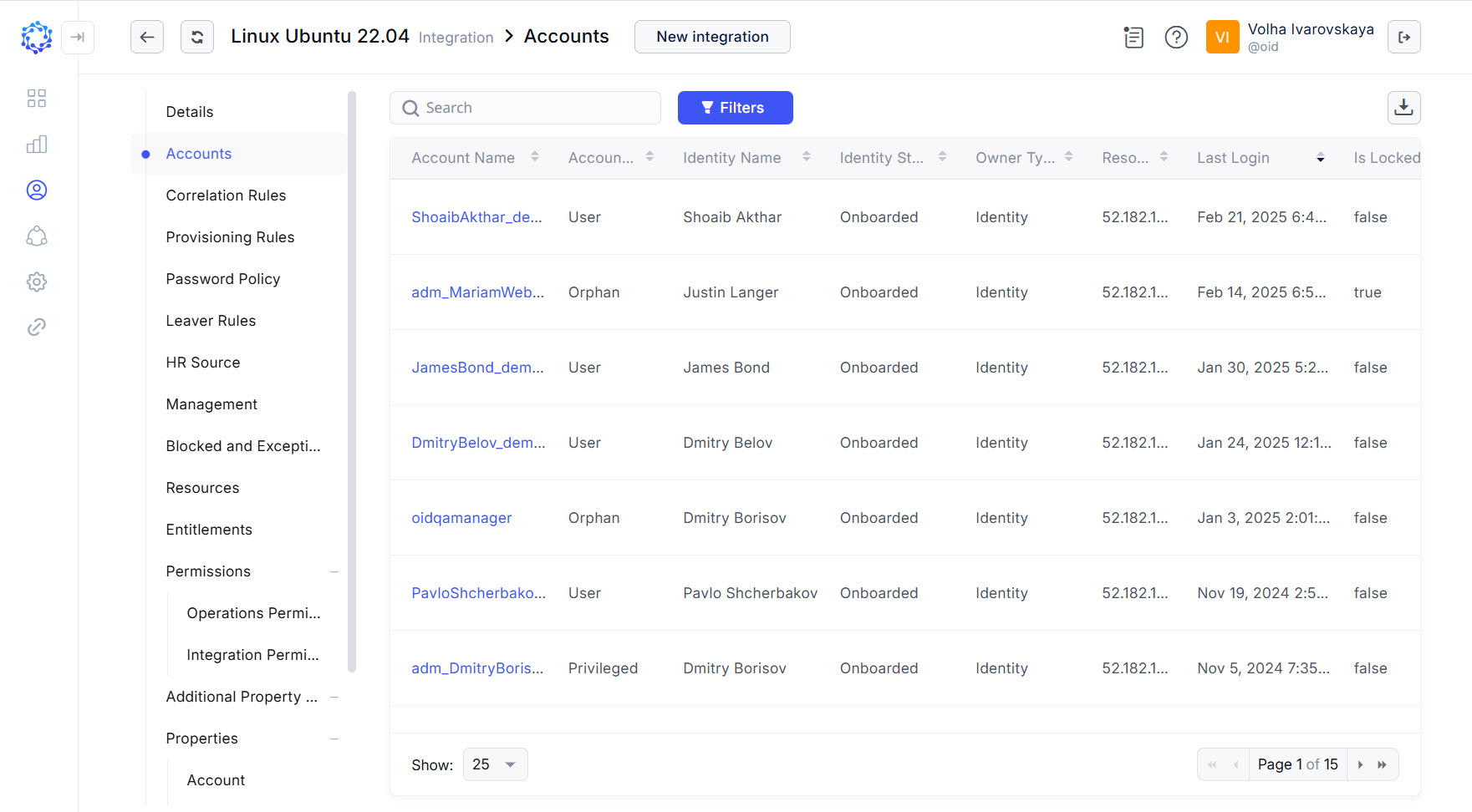 Accounts in the integration
|
Account property |
Description |
|
Account Name |
The login of an account. |
|
Account Type |
The type of an account. |
|
Identity Name |
The name of an identity or a workgroup who was established as the owner of the account. The Owner of the account is:
|
|
Identity Status |
Applicable only for identities, not for workgroups. |
|
Owner Type |
Identity, or Workgroup are two possible options for the type of the owner. |
|
Resource |
The name of the resource that the account pertains to. |
|
Last Login |
Date and time of when the identity logged in to the target system last time. Integration-specific parameter which is based on the target requirements and therefore, implemented differently for different integrations. For example, for one integration it shows the access detection data, while for another integration it shows a standard account property established automatically by the target and imported together with the integration data. |
|
Is Locked |
False, or True are two possible options for the status of the account. If it is false, then the account is unlocked and can be used. If it is true, then the account is locked and cannot be used. |
The Accounts grid provides the following capabilities for managing the accounts in the grid:
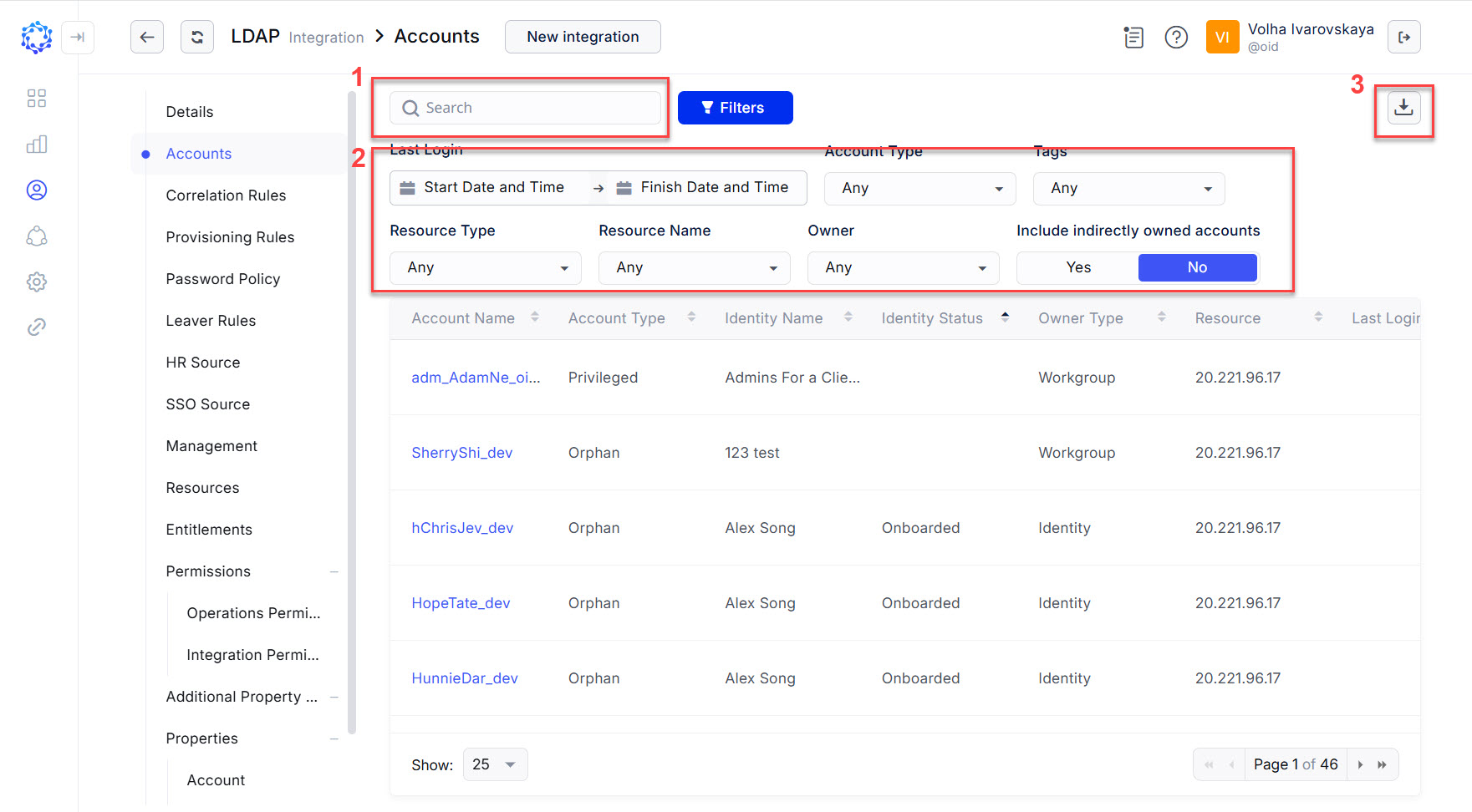 Capabilities to manage accounts
- searching for accounts by the account properties with the search bar;
- filtering accounts with the simple filters, which on a selected option immediately show the filtering results in the grid;
- exporting the data displayed in the grid into a CSV file.