
Integration Permissions
The Integration Permissions option in the Permissions section of an integration establish the system permissions for the entire integration. There are the following base permissions, described below: Owner, Auto Approved, Requestable, and Rotatable. The permissions are enabled with inheritance, and provide the established value in the downward direction: from the integration to the resource, to an entitlement or an account.
The integration permissions can also inherit a value from the upward object which is the Default Approver. In case when the value is inherited, its icon is grey, or otherwise blue, meaning that it was directly established.
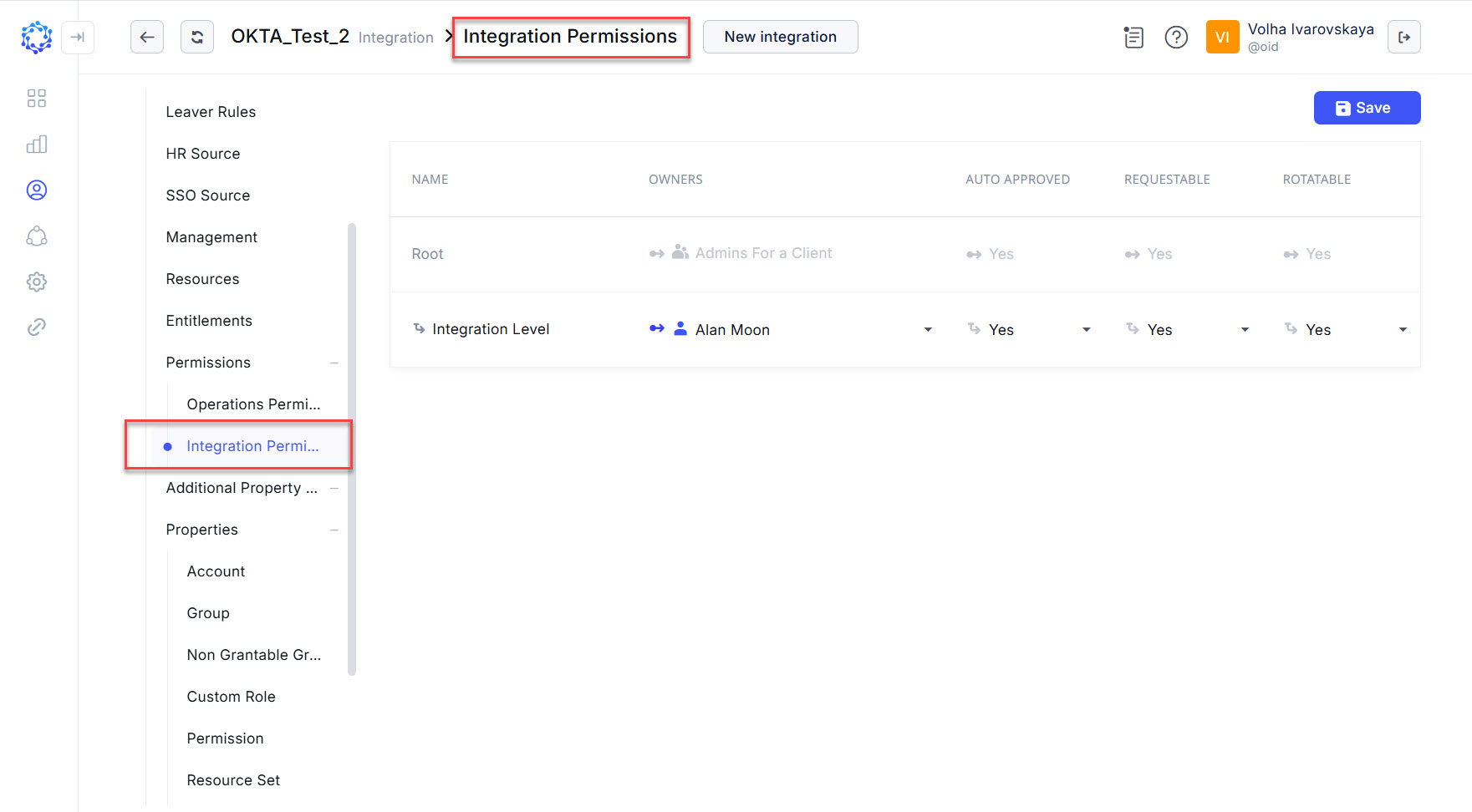 Integration Permissions
At the integration level, the following system permissions can be established:
|
Property |
Description |
|
Owner |
A workgroup or an identity can be selected as the integration owner. The owner will be asked to provide an approval for an access request. |
|
Auto Approved |
It enables or disables the capability to bypass the approval process and make an access request automatically approved. If For example, And if it is |
|
Requestable |
It enables or disables the capability to request access to the integration. If If |
|
Rotatable |
It enables or disables the passwords to the accounts of the integration to be deleted and established anew. If If |
|
Remember to click the Save button, to save the changes. |