
Resources of an integration
The Resources grid opened for an integration provides a full list of all resources that the integration currently has. It can be reached at: Identity Automation > Integrations > {Integration} > Resources.
The Resources grid shows system properties, additional properties, and entitlements for every resource. System properties are assigned by ObserveID when a resource is imported. Additional properties are established by the target and imported together with the resource. Entitlements, if any, reveal if there are any resource-based entitlements that are currently assigned to the resource. Entitlements and additional properties are integration-specific and differ per Integration Type. For more information on the additional properties, refer to the specification of the integration. Below is an overview of the system properties available in the Resources grid.
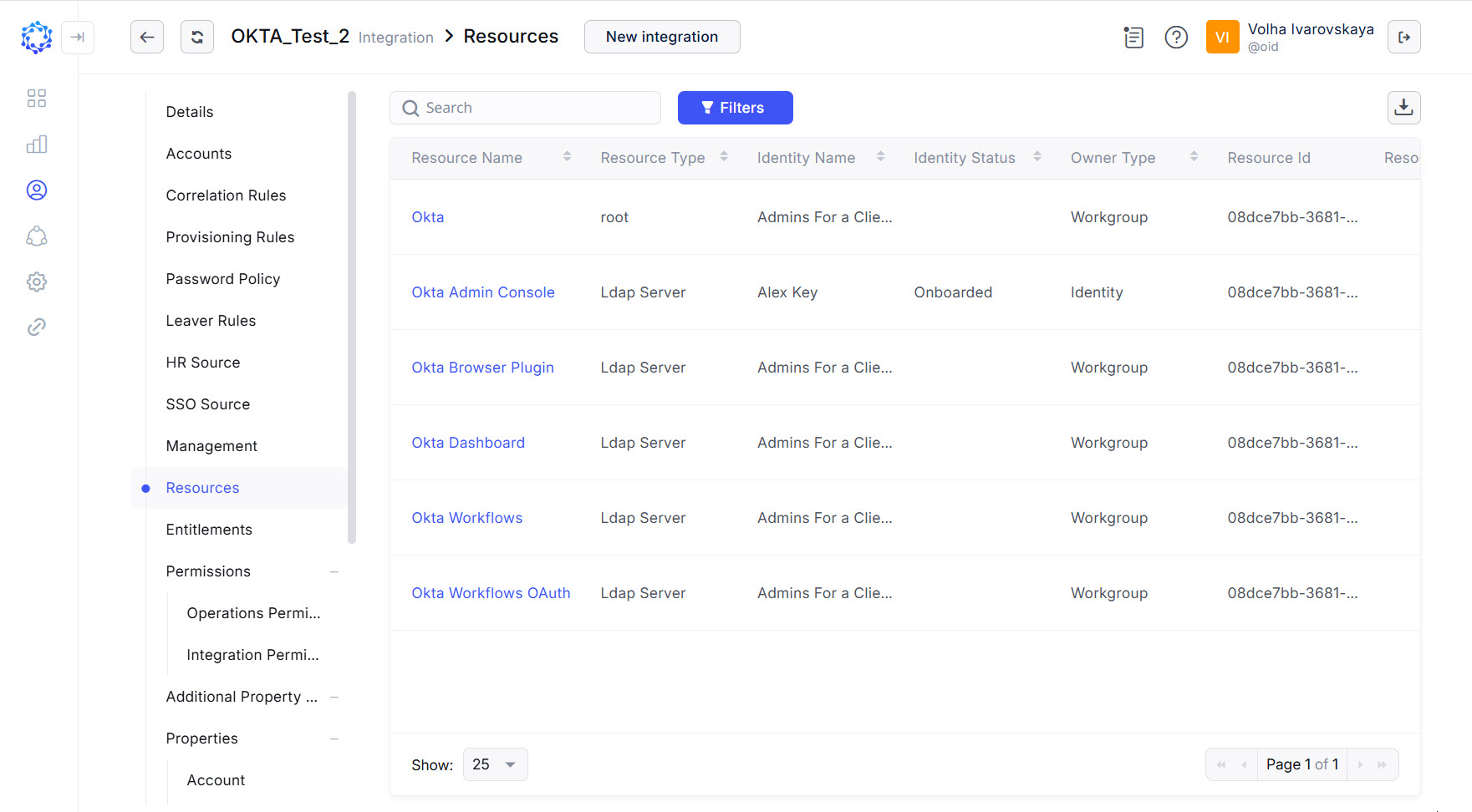 Resources grid
|
Name |
Description |
|
Resource Name |
The user-defined name of the Resource imported from the integration. |
|
Resource Type |
The Resource Type is defined for every resource based on the integration data. |
|
Identity Name |
The name of an identity or a workgroup who was established or inherited as the owner of the resource. The Owner of the resource is:
|
|
Identity Status |
Applicable only for identities, not for workgroups. Onboarded, or Pending are the two possible options for the Identity Status. It shows if the identity has completed the onboarding procedure, or the onboarding is pending for the identity. |
|
Owner Type |
Identity, or Workgroup are two possible options for the type of the owner. |
The Resources grid provides the following capabilities for managing the resources in the grid:
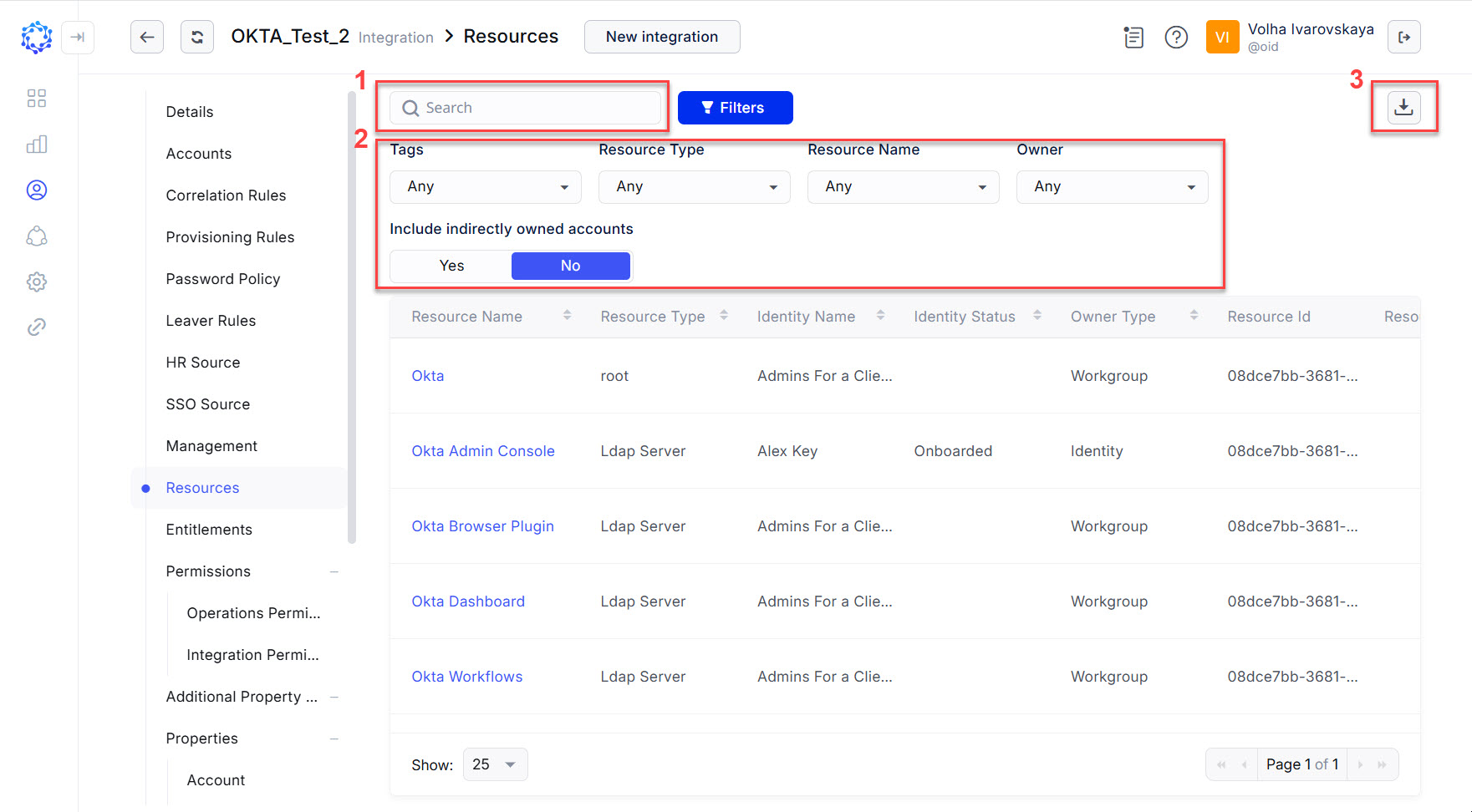 Resource management
- searching for resources by the resource properties with the search bar;
- filtering resources with the simple filters, which on a selected option immediately show the filtering results in the grid;
- exporting the data displayed in the grid into a CSV file.