
Update a role
A role is updated with the Role Update Request workflow. To launch the workflow, do the following:
-
Use one of the following options to initiate a Role Update Request workflow:
-
Select the required Role from the Roles grid, and then click Edit.
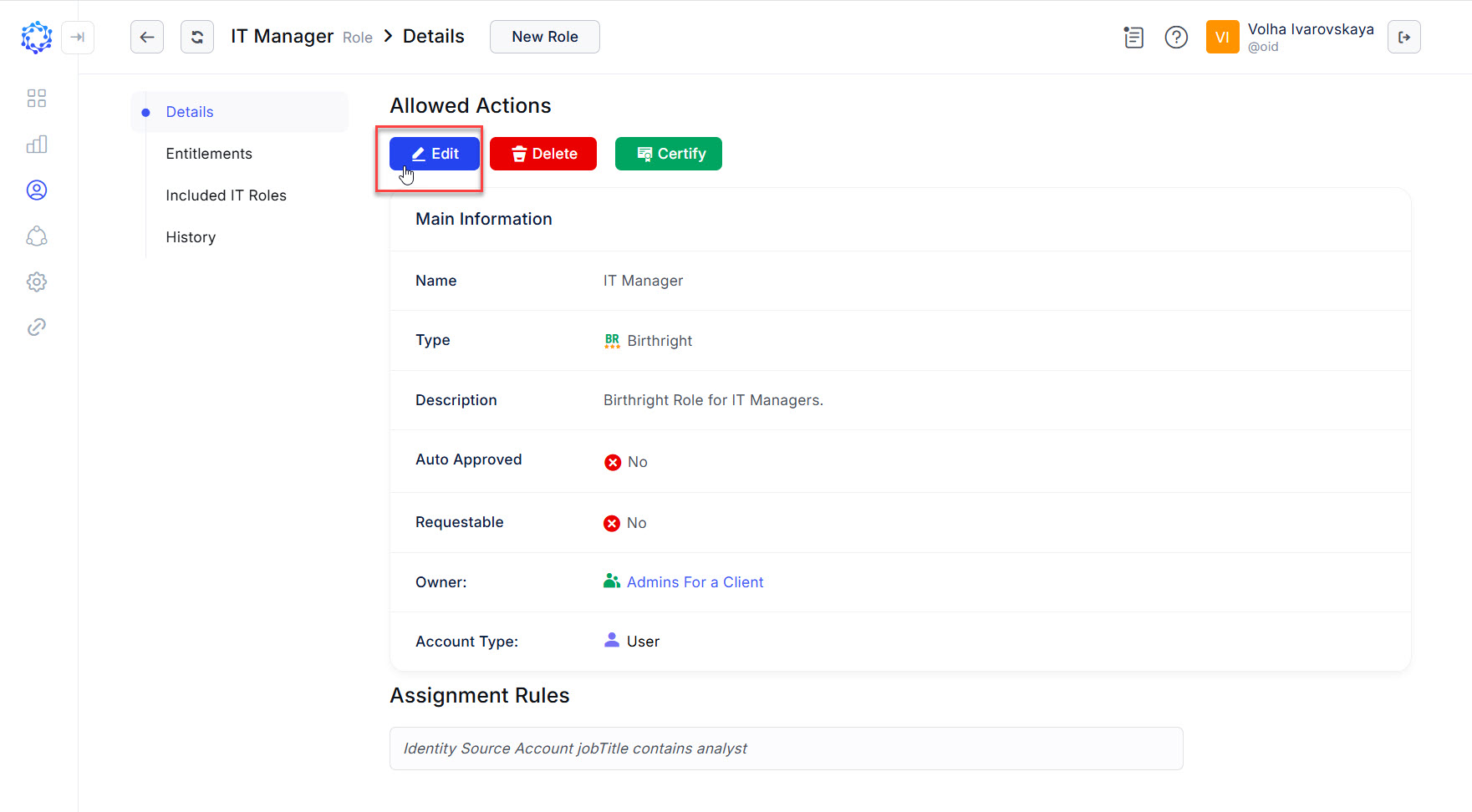 A role shows Details after being clicked in the Roles grid
 -
Click the New workflow button in the header of the Workflows area, then select Role Update in the opened New workflow popup. And finally, select the required Role, first, by identifying its type: IT, or Birthright, and then selecting the required Role from the Role drop down list.
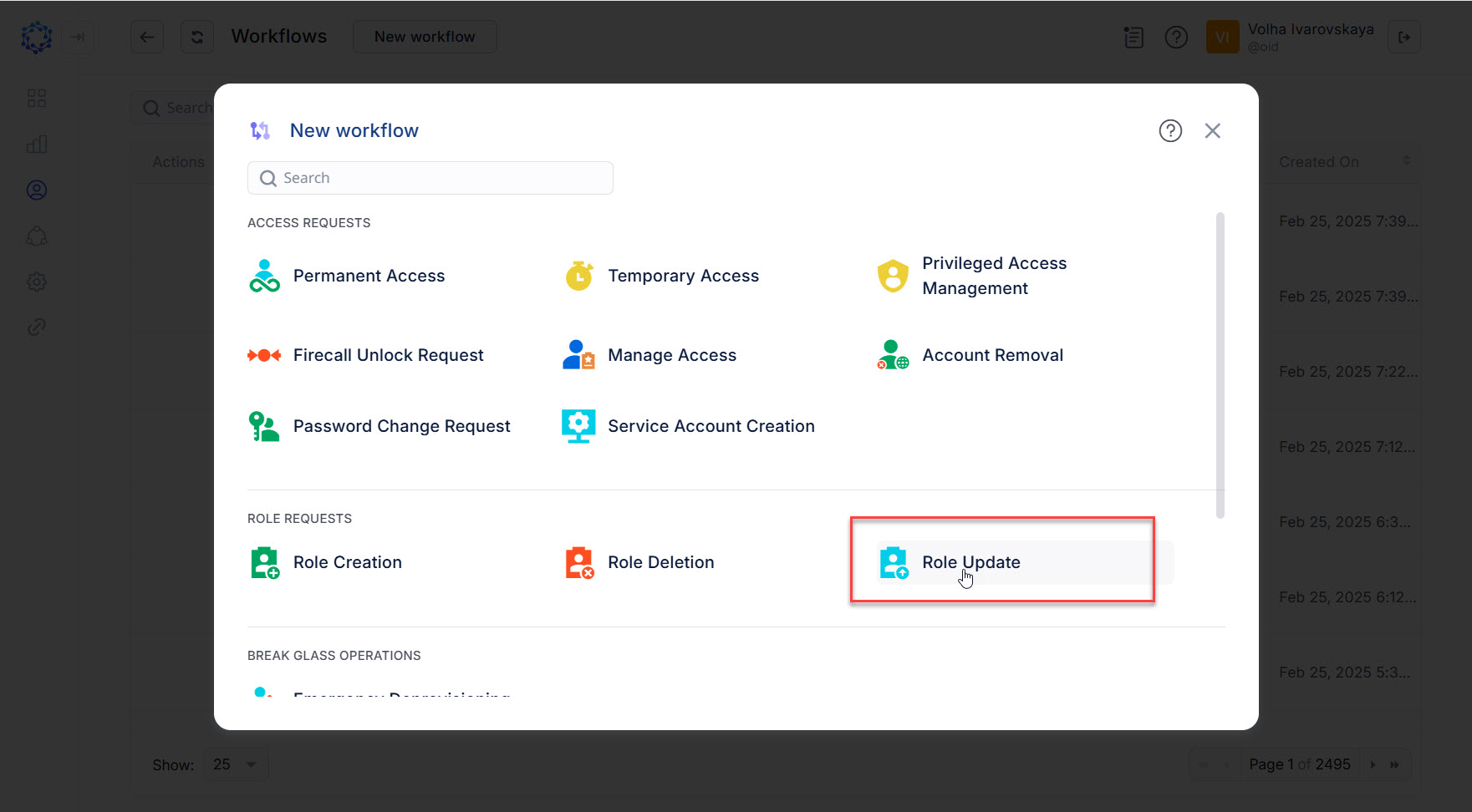 New workflow popup and selection of the Role Update workflow
-
-
Update the required details about the Role, and when ready, click Next to move to the next step of the wizard. The details are the following:
-
Owner
-
Name
-
Description
-
Assignment Rules
-
Requestable
-
Auto Approved
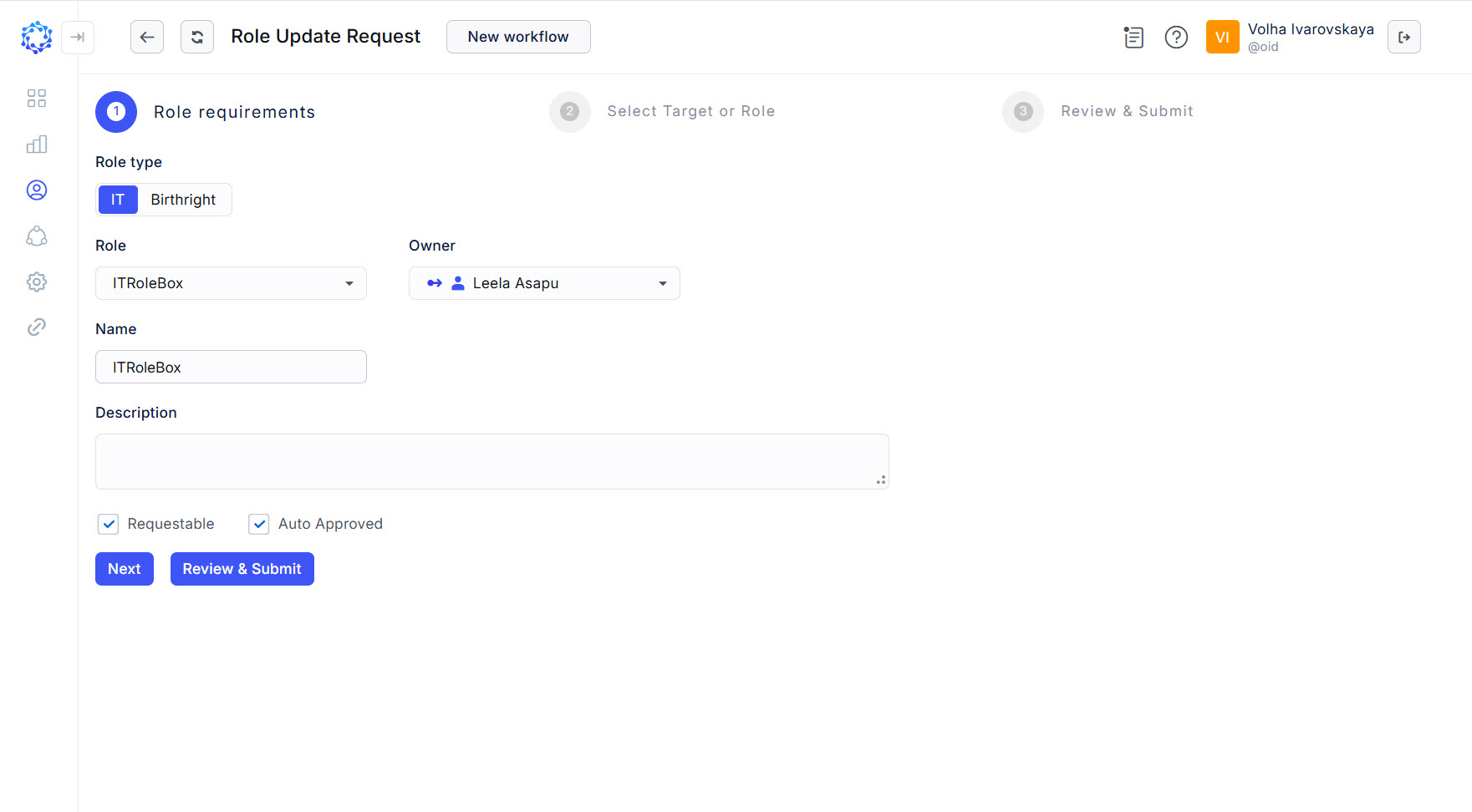 Role properties updated with the Role Update workflow
-
-
Make updates to the Entitlements expected to be provided by the Role, if needed; or skip the step and click Next.
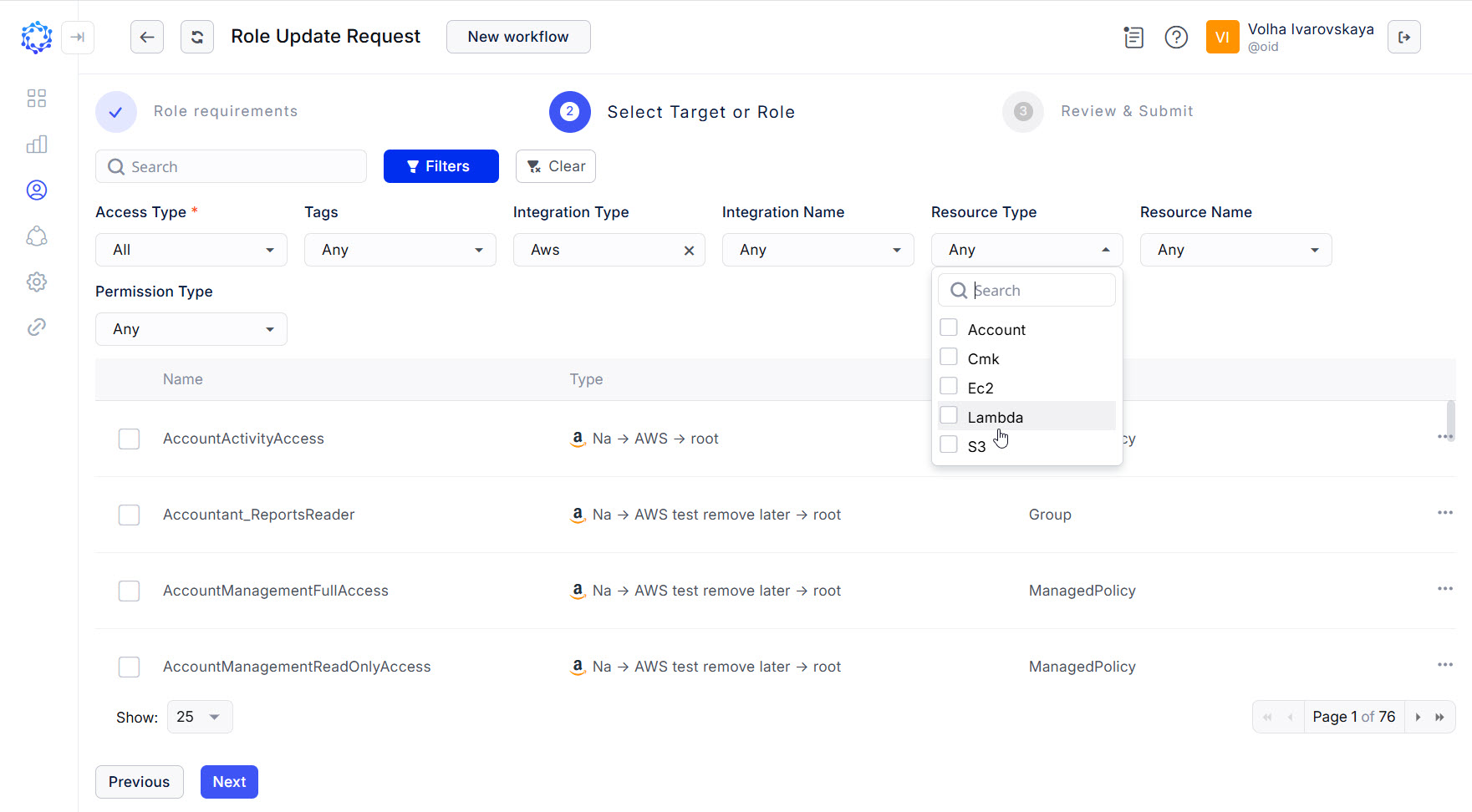 Selection of entitlements in the Role Update
 -
Review what changes were applied within the steps of the current Role Update Request, and\or if needed, click the bin icon to discard unnecessary permissions. Once ready, click Submit to submit the Role Update Request and launch the workflow.
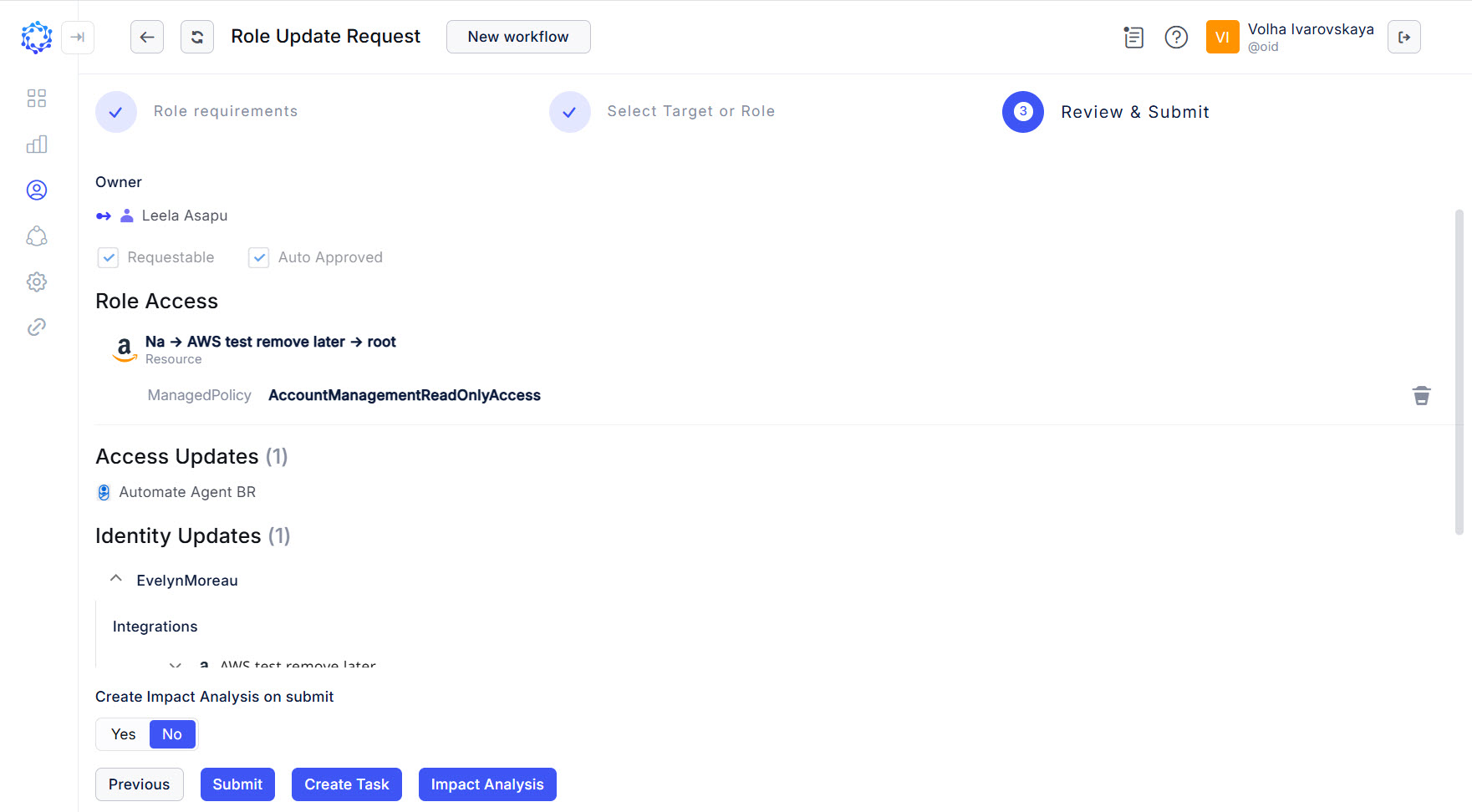 Review step of the Role Update workflow
Once launched, the Role Update Request workflow shows up in the Workflow grid among other workflows. Heed the status of the workflow. It changes with every stage that the workflow goes through. If necessary, click Refresh, and the status will be updated. The History page of the workflow presents the results of how the workflow is running, or finished, and can help troubleshooting.
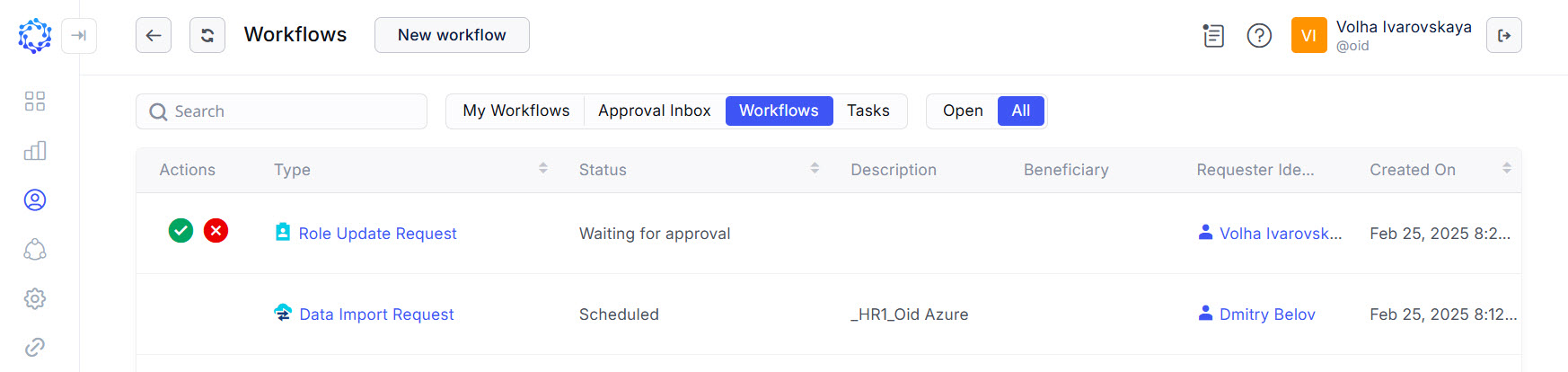 Workflows grid is added with a new Role Update Request workflow
Successfully finished, the Role Update workflow updates the Role and also updates the access Identities have. The access of Identities is updated only if the Identities have had the given Role provisioned, or become eligible for it after the updates take effect.