
Offboarding workflow Details
Once created and running, the Offboarding workflow is displayed among other workflows in the Workflows grid. To view the Details of the Offboarding workflow, click the workflow in the grid, and the details will open: Identity Automation > Workflows > Workflows > {Offboarding} > Details
In this section:
- Details of Offboarding
- About Offboarding
- Offboarding statuses
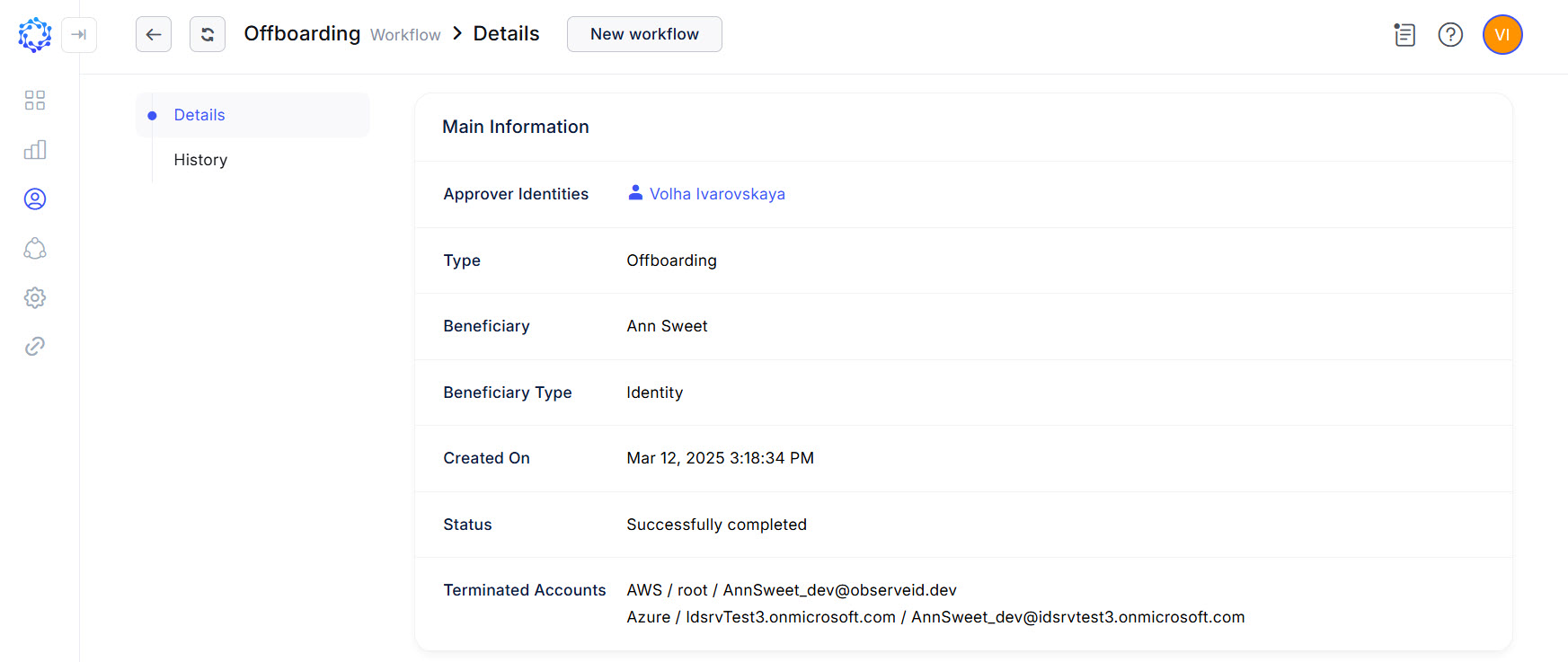 The Details page of the Offboarding workflow
Details of Offboarding
The Details of the Offboarding workflow show the following:
- Information about the Workflow:
- Type - it is the Offboarding type of the workflow.
- Status - to inform about the current status of the workflow. For an overview of what statuses an Offboarding workflow can go through, see one of the sections below.
- Approver Identities - the Identities who approved the workflow.
- Pending Approvers - the Identities who were requested to provide an approval. Displayed before any approval is received, or after the workflow gets the
Rejectedstatus. - Created On - date and time when the workflow was triggered.
- Information about the Identity
- Beneficiary - it is the existing terminated Identity for whom the Offboarding workflow was created.
- Beneficiary Type - Identity or a Workgroup as the possible types of Beneficiaries for workflows.
- Information about the Access
- Terminated Accounts - the username of the accounts terminated in the result of the Offboarding workflow. Every account is appended with the integration and the resource that it pertained to.
If the Offboarding workflow fails to a certain reason, the Retry button shows up for it in both the Workflows grid and in the Details, so that if needed, the workflow can be re-started again manually.
About Offboarding
The Offboarding workflow is intended for de-provisioning access from terminated Identities. The de-provisioning is performed in alignment with how the Leaver Rules are configured for every specific integration where the terminated Identity has an account(-s). Having the Leaver Rules set up, each account an Identity might have will be respectively de-provisioned. In addition to accounts, the workflow de-provisions the Local User, the membership in Workgroups, and the ownership in such entities, as: integrations, resources, entitlements, and\or roles.
The Offboarding workflow is automatically created when the HR Source Check Request terminates an Identity and changes their status from Active into Terminated.
Offboarding statuses
The Offboarding workflow executes automatically, and goes through the following statuses:
|
Status |
Description |
|
Preparing for approval |
The workflow has started, and been calculating the approval strategy. |
|
Waiting for approval |
The approvers are notified. The workflow is waiting for the decision from the approvers. |
|
Approved, deprovisioning |
The approvers accepted the workflow. The execution of the workflow has started. The workflow is in progress. |
|
Error deprovisioning the access |
The workflow throws an error. The Retry function is available for the user manually to re-start the workflow. |
|
Deprovisioned and closed |
The workflow successfully finished with deprovisioned access. |
|
Closed - rejected by the manager |
The workflow successfully finished without deprovisioned access, due to the received rejection by the approvers. |
|
Fatal error terminating, accounts still exist |
The workflow failed to deprovision the access. The access is still granted. The Retry function is available to the user manually to re-start the workflow. |