
Grant Roles
When an IT Manager grants a role to an Identity, the Identity obtains a role assignment reflected in the Assigned Access; and entitlements are provisioned into new or existing accounts. One role can provide access into one integration or some integrations. It is determined with the entitlements included into the role. If the role contains entitlements from different integrations, then different accounts will be affected by the role: either created anew, or updated with the access of the role.
A role can be granted with different tools. The selection of the tool is determined with the type of the role and the status of the identity in the lifecycle. Below is an overview of the tools to use to grant a role.
In this section:
- Birthright Roles
- Onboarding \ Reinstatement grants BR Role
- Role Creation grants BR Role
- Role Update grants BR Role
- Identities Update grants BR Role
- IT Roles
- PAR \ TAR grants IT Role
- Role Update grants IT Role
Birthright Roles
All Birthright Roles are granted on the condition. The tools that grant a Birthright Role verify the condition. If it is determined that the identity meets the condition and is eligible for the role, the access is provisioned. Otherwise, no provisioning happen. For example, onboarding or reinstatement check out the Identity’s eligibility for any roles at the step of the identity creation or activation. Other workflows verify the condition in relation to each identity included into the processing scope whenever the workflow is triggered. The Identities Update workflow re-calculates the eligibility only if the respective configuration of settings on the workflow is enabled.
The moment when the condition is checked is based on the purpose of each specific workflow. However, whether to assign a Birthright Role to an Identity, or not, is always governed with the requirement for an identity to meet the condition. The condition is always checked for every action of provisioning birthright access, regardless of the tool.
Onboarding\Reinstatement grants BR Role
New \ reactivated Identities get a BR Role access when they are onboarded or reinstated.
The provisioning of a BR Role to the Identity is performed with the Onboarding or Reinstatement workflows. Most often this process creates new Accounts for the Identity. It can be also one or some accounts. Each of the Accounts created originate in a specific integration. There are as many Accounts created as many Integrations the Entitlements included into the BR Role pertain to. For more details on onboarding, refer to: Onboard Identities. For more details on reinstatement, refer to: Reinstate Identities.
Role Creation grants BR Role
Only existing Identities get a BR Role access when a BR Role is created with the Role Creation workflow.
On creation of a new BR Role, if any existing Identities turn out to be eligible for it, the Role is automatically granted to such Identities. And if the Identities have no accounts to accommodate the provisioned entitlements, the respective accounts are created anew. Otherwise, the existing accounts are added with the entitlements from the newly created Birthright Role.
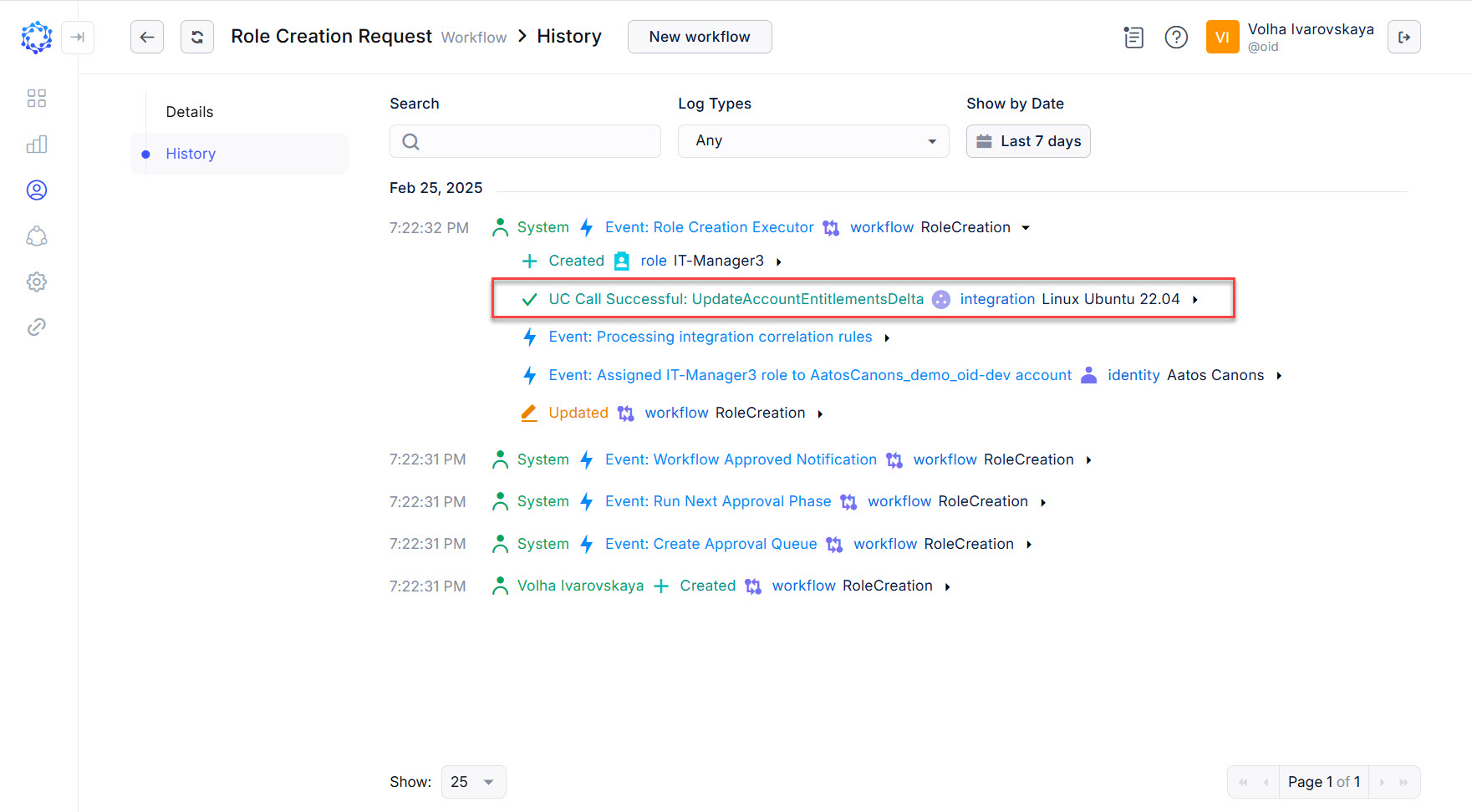 Role Creation adds more Entitlements to an existing account
Role Update grants BR Role
Only existing Identities have their accounts updated when a Role Update updates the access for a BR Role.
On adding more entitlements to an existing BR Role, the Role Update workflow checks out the existing Identities, and adds the entitlements to the respective existing accounts of the Identities, or creates new accounts in case if none of the required accounts exist at the moment of workflow execution.
Identities Update grants BR Role
Existing Identities can have new accounts created or existing accounts gets updated when an Identities Update workflow is triggered.
The Identities Update workflow checks Identities' eligibility for Birthright Roles, and in case of any mismatches it initiates either provisioning or deprovisioning of the Birthright Role access. For example, if the Additional Properties of an Identity have changed and the Identity is detected to be eligible for more entitlements, the workflow performs provisioning of the respective Birthright Roles by creating more accounts, and\or adding more entitlements to the Identity’s existing account(-s).
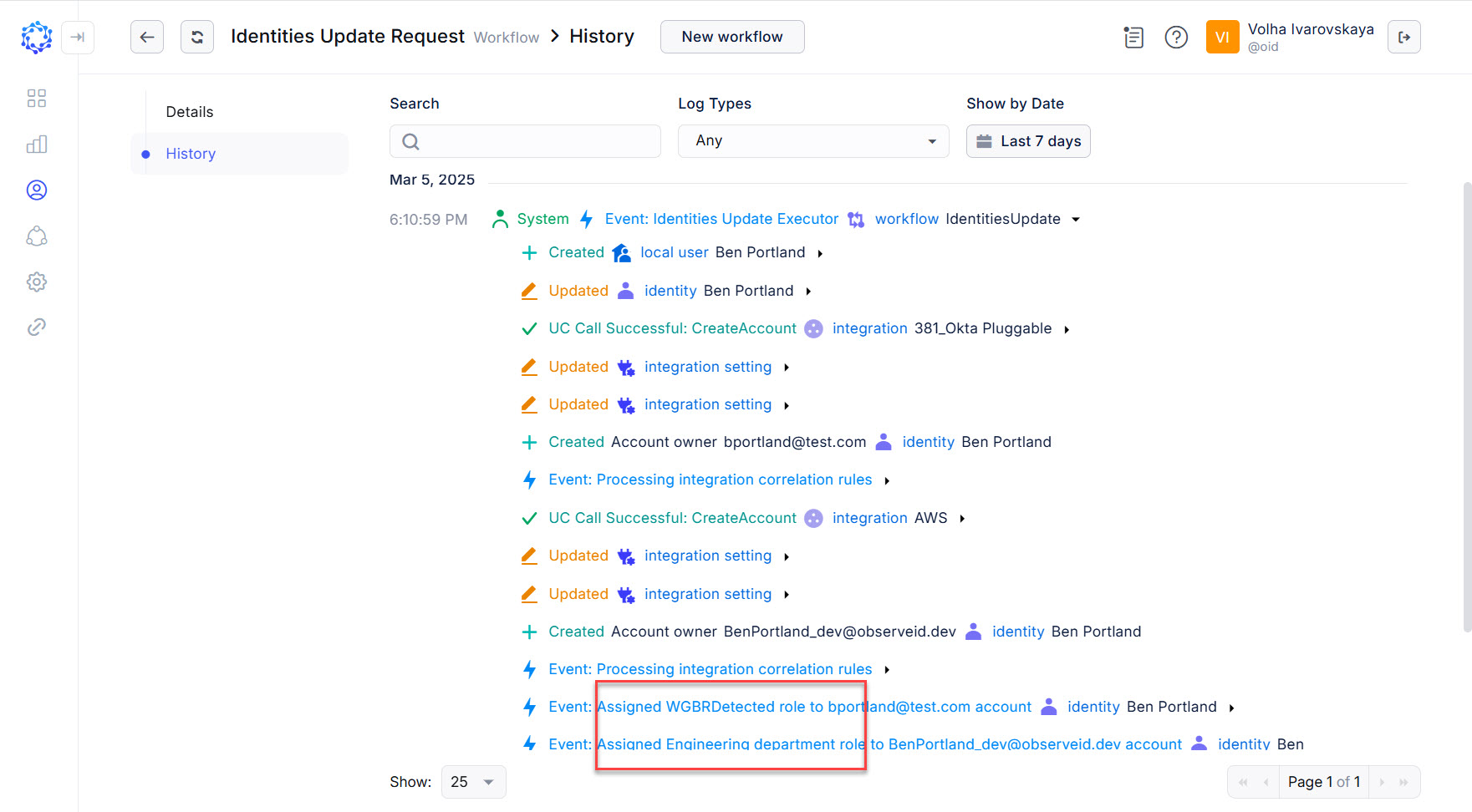 Example of Identities Update granting two roles and creating two accounts
IT Roles
All IT Roles are granted indirectly by being included into other roles, IT or Birthright ones. Also, all IT Roles can be granted directly as part of an access request whether it is submitted by the Identity or an administrator. However, if granted and then being updated, the IT Role will impact all Identities and update their access in alignment with the role access updates. For how an IT Role is revoked, see: Revoke Roles.
PAR \ TAR grants IT Role
Both the PAR and TAR workflows - the Temporary Access Request workflow - grant IT Roles. Respectively, a user, temporary, or privileged account(-s) are created or added with the Entitlements from the Role. Often it is a starting point for when an Identity gets an IT Role, especially if the Identity does not have the required accounts and the new account(-s) should be issued to provide the access.
Role Update grants IT Role
Identities who have already had the IT Role provisioned often have their access extended with the Role Update workflow.
The Role Update workflow allows an IT Role to be added with new entitlements, and then automatically provision these updates to all the Identities who have this IT Role granted. If any of the Identities do not have the required accounts to accommodate the added Entitlements, the Role Update workflow will create those accounts. Otherwise, the new Entitlements granted with the Role will be added to existing accounts.
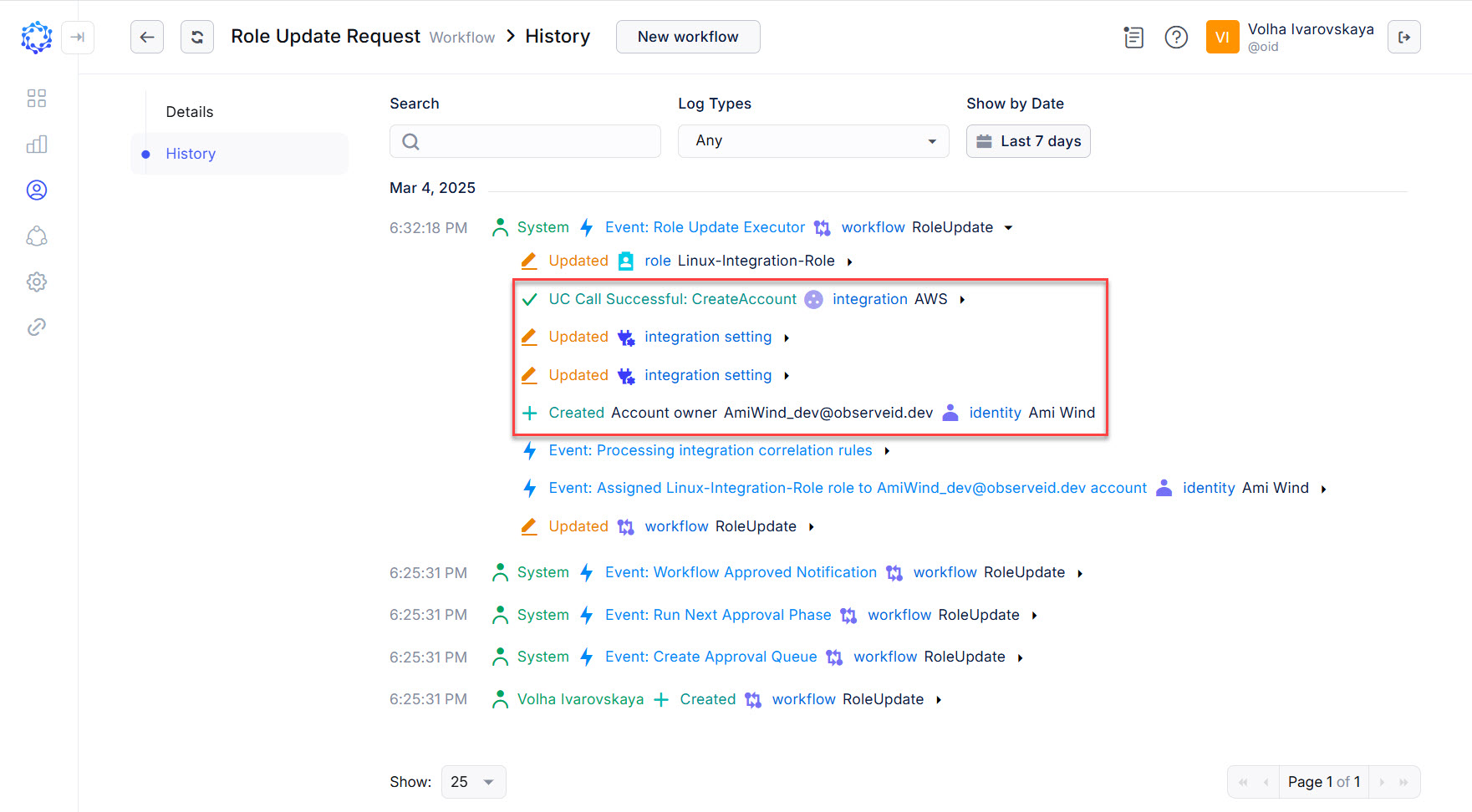 Role Update creates new accounts