
HR Source Check task
The HR Source Check task is run for HR Source integrations to create new Identities, to terminate existing Identities, or to reinstate terminated Identities. If the HR Source Check task identifies such Identities in the integration data that comes in from the integration, it creates, terminates, or reinstates the respective number of Identities in ObserveID and triggers the Onboarding, Offboarding, and\or Reinstatement workflows to provision and\or deprovision access for the respective Identities in the target systems.
In this section:
- Prerequisites
- Trigger HR Source Check task
- New identities
- Birthright access
- Pending status
- Terminated identities
Prerequisites
Before running a HR Source Check task, the following prerequisites must be met:
- The Data Import tasks - for all needed HR Source integrations - must be run and successfully finished.
- The HR Source integration accounts eligible for the creation of new Identities must have the User type, or Privileged type.
Trigger HR Source Check task
When the HR Source Check task is triggered and ends successfully, then the following should take place:
- new eligible Identities are created in the Pending status;
- existing eligible Identities have a change in the status from Active to Terminated;
- existing eligible Identities have a change in the status from Terminated to Pending;
- the number of respectively, Onboarding, Offboarding and Reinstatement workflows are created, and equal to the number of respectively, new and existing Identities with the status change. The ratio of automatically created workflows is one workflow per one Identity.
The actual provisioning / de-provisioning of access is performed respectively, by the Onboarding, Offboarding, and\or Reinstatement workflows.
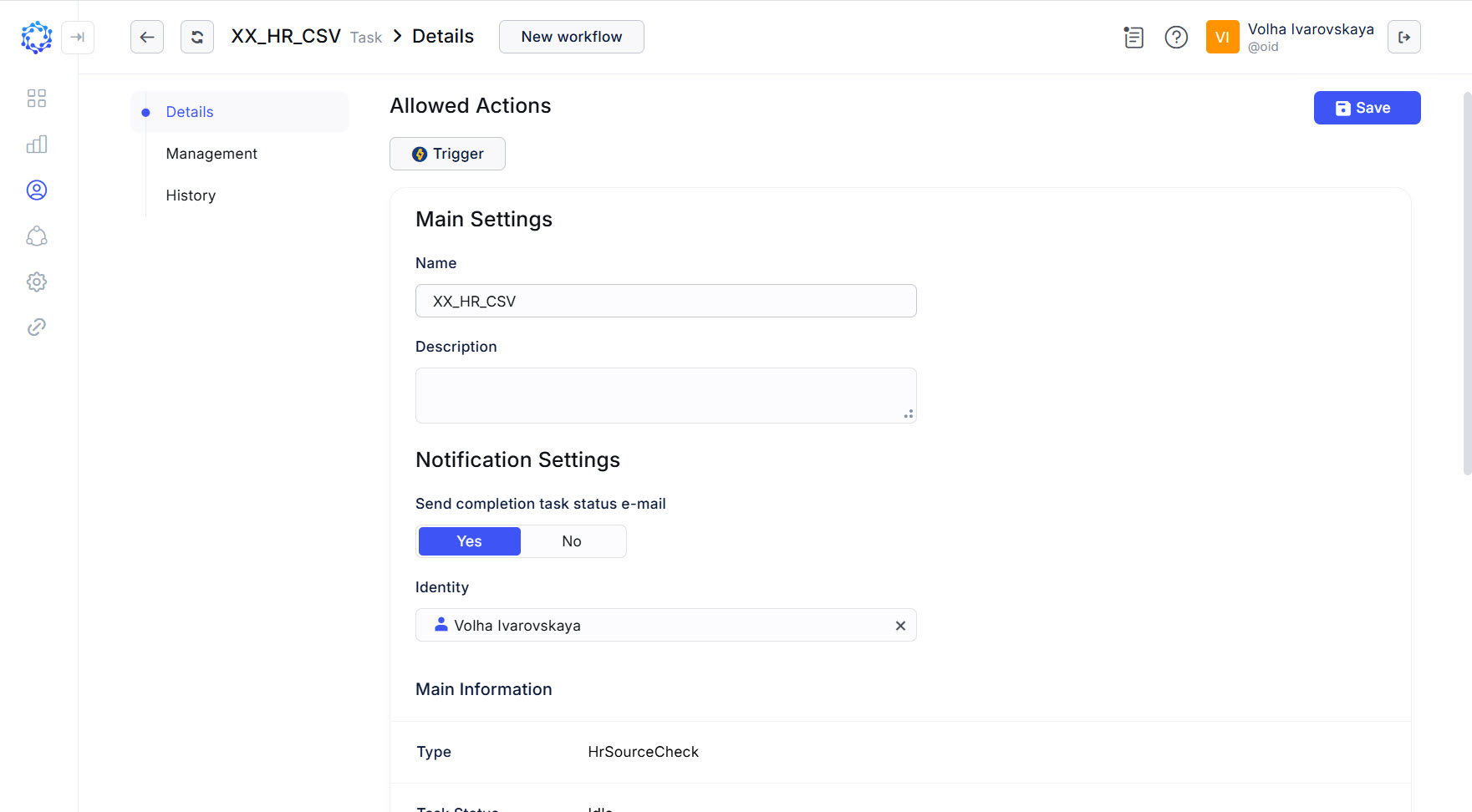 Details of the HR Source Check task
To trigger the HR Source Check task:
-
either click the Trigger action icon for the task in the Tasks grid;
-
or click Trigger in: Identity Automation > Workflows > Tasks > {Task} > Details.
If triggered, click Refresh a couple of times to notice that the status of the task has changed from Triggered to Idle. It means that the task finished its operation, and the results are ready for use.
New identities
To make certain the HR Source Check task would create a new Identity, it is important to let the HR Source Check task know the pattern of how to determine new accounts among other accounts in the Target system, which is represented with the respective HR Source integration in ObserveID. For example, the pattern can say all accounts will be considered new, if there is no Identity in ObserveID, that would have the same source integration id as an attribute.
The pattern should be C#-coded into the HR Source Joiner Rule, and established for each HR Source integration. It allows a new Identity to be created as an outcome of a new HR Source integration account being recognized as a new one.
Birthright access
For each new Identity to be created from the data of the HR Source integration, and for each re-instated Identity, the system automatically determines what birthright access they are eligible for, and associates it with the Identity. After the Identity is created, or re-instated, the associated birthright access can be changed, after the ongoing provisioning finishes.
Pending status
All new Identities are created in the Pending status. Often, the Pending status quickly changes to the Active one. However, in case if you need to introduce some logic, and/or conditions that should be met first, before a Pending Identity turns to the Active Identity, use the following object and define it in the Identity Attributes Mapping Rule:
startDateAccountValue
It is the Start Date of when the onboarding is expected to start provisioning access. The Use Cases of how the date can be established vary: from exact minutes or hours, and to complex logic. As an example, it is possible to consider a basic case, when the Start Date is the exact trigger for the provisioning. In this case, the identity becomes active exactly on the specified date. The date itself is imported as part of the additional properties of the HR Source account. This way the onboarding moment is established in the HR Source system. After the HR Source integration data is imported, the date is analyzed among all other integration data. The system keeps the identity in the pending status till the given date has come, and the onboarding workflow begins executing the provisioning of the birthright access on that specific date.
Terminated identities
To make certain the HR Source Check task would terminate an existing Identity, it is important to let the HR Source Check task know the pattern of how accounts are made inactive, or terminated, in the HR Source target system. For example, the pattern can say all accounts will be considered inactive / terminated, if the Status attribute of an account changes from Active to Inactive. This pattern should be C#-coded into the HR Source Leaver Rule, and established individually for each HR Source integration. It makes Identities terminated after the respective HR Source integration accounts being recognized as Inactive/Terminated.