
Application Build 3.0 and UC 2.11
July 2025
Overview / Summary
ObserveID 3.0 is a milestone release, delivering powerful new experiences for onboarding, access management, analytics, and platform customization. Expanded database support, streamlined self-service workflows, granular permissions, and a dynamic new UI help you unlock productivity and maintain airtight security, no matter your scale.
New Features & Enhancements
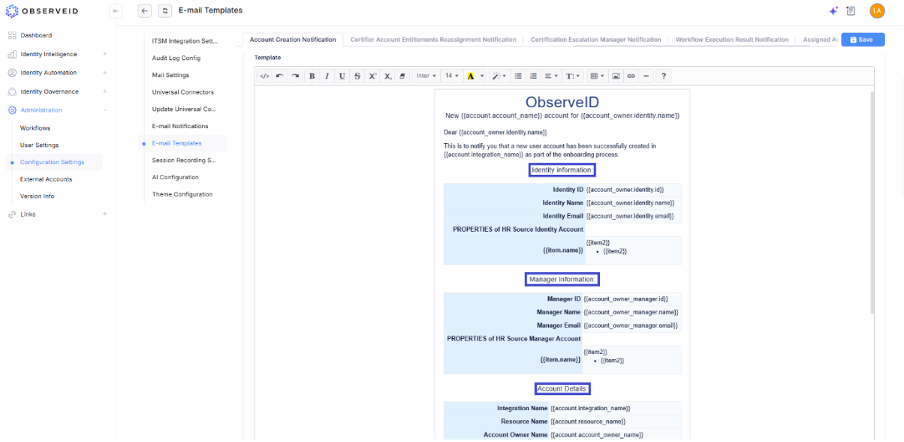
1. Account Creation Emails: Enhanced Content
- Email templates now feature rich, context-sensitive information—thanks to dynamic account, identity, and manager property insertion.
- Benefit: Recipients get transparent, detailed provisioning updates.
2. Assigned Access Email Notifications
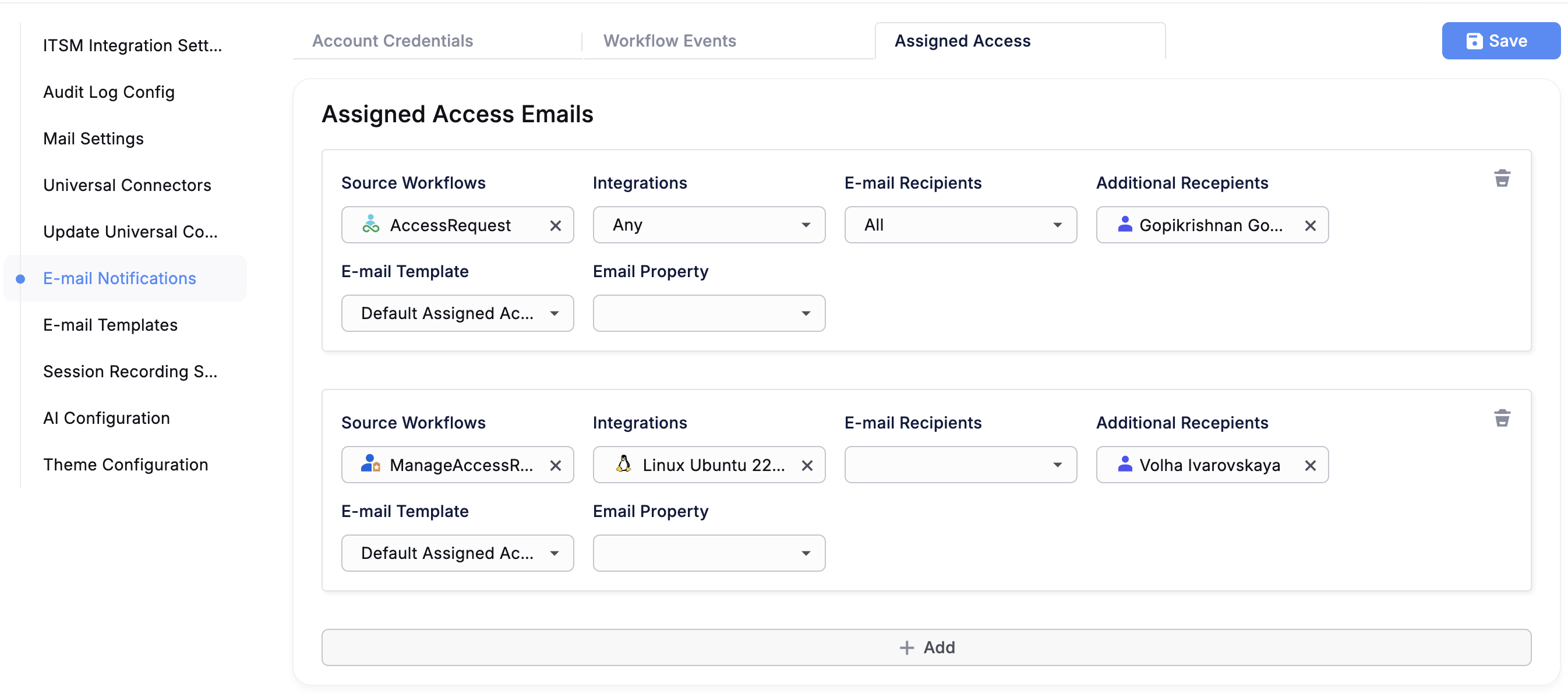
- New notification type summarizes all newly granted and revoked accesses after workflow completion.
- Highly configurable recipient filters (by role, identity, HR source).
- For multi-identity workflows, one email per affected identity is generated.
3. Self-Service Access Request Workflow
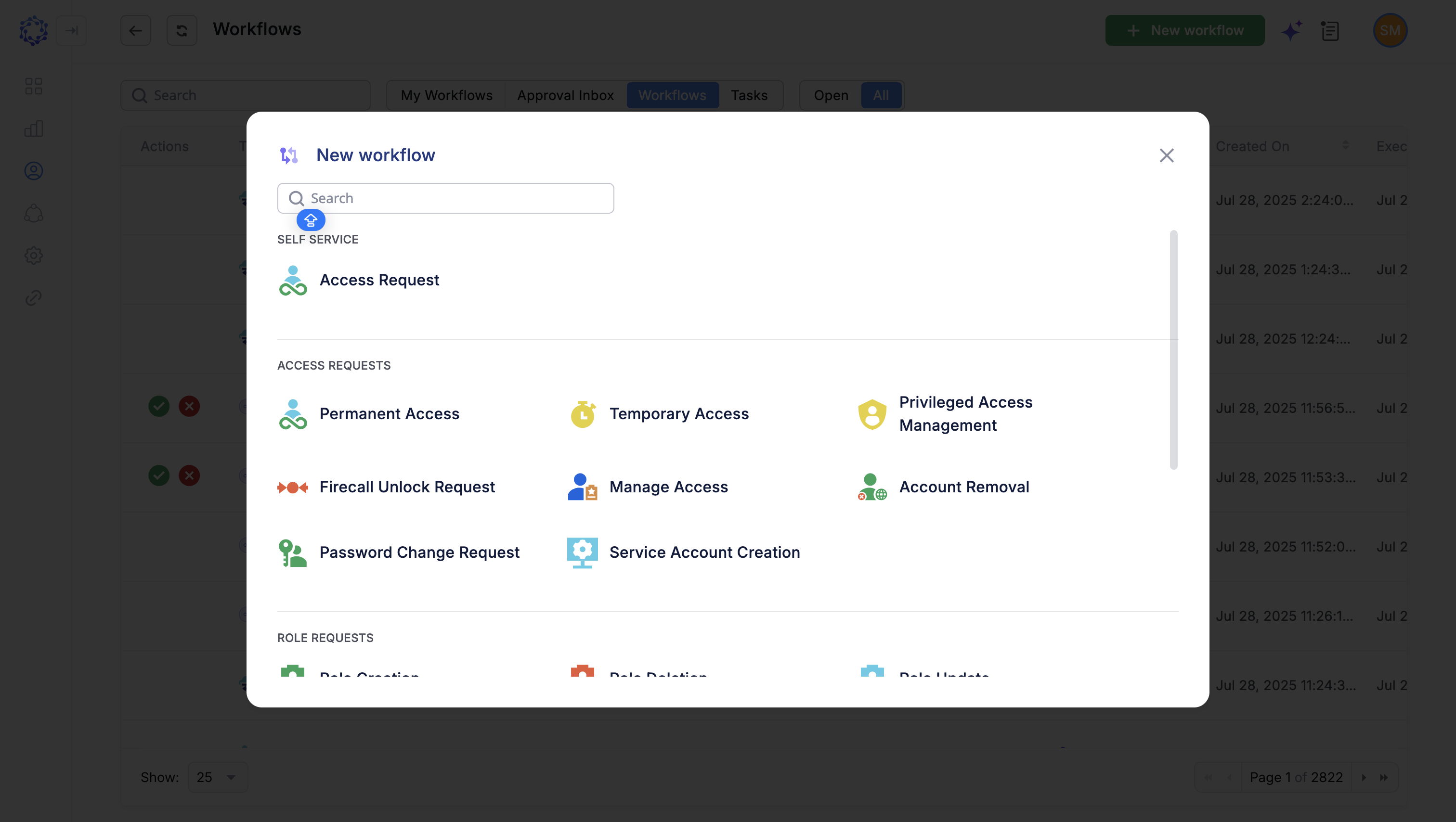
- Empowers non-technical users to request entitlements. If approved, items are provisioned instantly, either to a new or existing account.
- Admins configure options (IT Roles) suited to each job function.
Technological Improvements
4. Expanded Database Support – PostgreSQL as Default
- Supports PostgreSQL (default), SQL Server & MySQL.
- Optimized for high-volume data operations, large-scale analytics, cross-platform deployments.
5. Centralized, Standalone Logging Service
- Aggregates system logs for unified monitoring and troubleshooting.
- More granular, contextual event data.
6. Workflow Execution Precedence
- Onboarding, offboarding, and reinstatement processes are now prioritized and automatically executed before other workflows.
- Prevents conflicting updates, ensures consistent identity state.
User Access Control Enhancements
7. Integration Configuration Visibility for Administrators Only
- Only users with Administer/Modify permissions (globally or per integration) can access configuration.
- All other users see only account/resource/entitlement views—improving data security.
8. New ‘Read’ Access Level in Integration Permissions
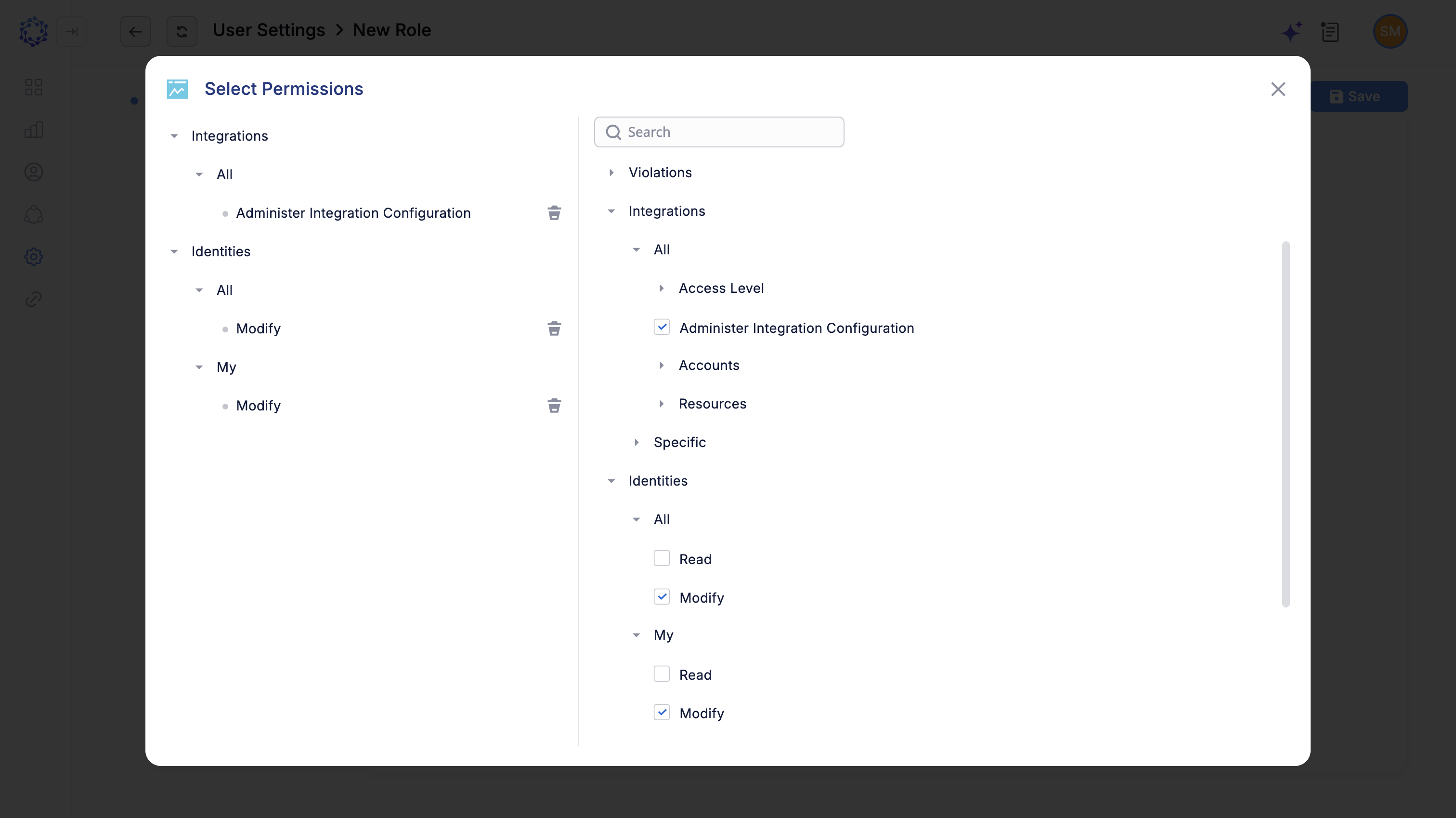
- ‘Read’ provides non-editable, audit-focused access for integrations.
- Limits configuration risks, supports compliance/audit requirements.
UI & User Experience Enhancements
9. Identities Grid: Improved Filtering
- Terminated managers and key HR source fields are now always visible.
- Avoids accidental hiding of important relationship data.
10. Remote Session Keyboard Improvements
- In RDP, keyboard is now fully movable and resizable for improved usability and visibility.
11. Advanced UI Branding & Theme Configuration
- Admins can set platform-wide colors, upload company logos/favicons, set loading animations.
- All changes are reflected in real-time for all users.
12. Support for Light & Dark Modes
- Users can toggle between light/dark themes in their profile settings.
- Accessible via User Settings panel.
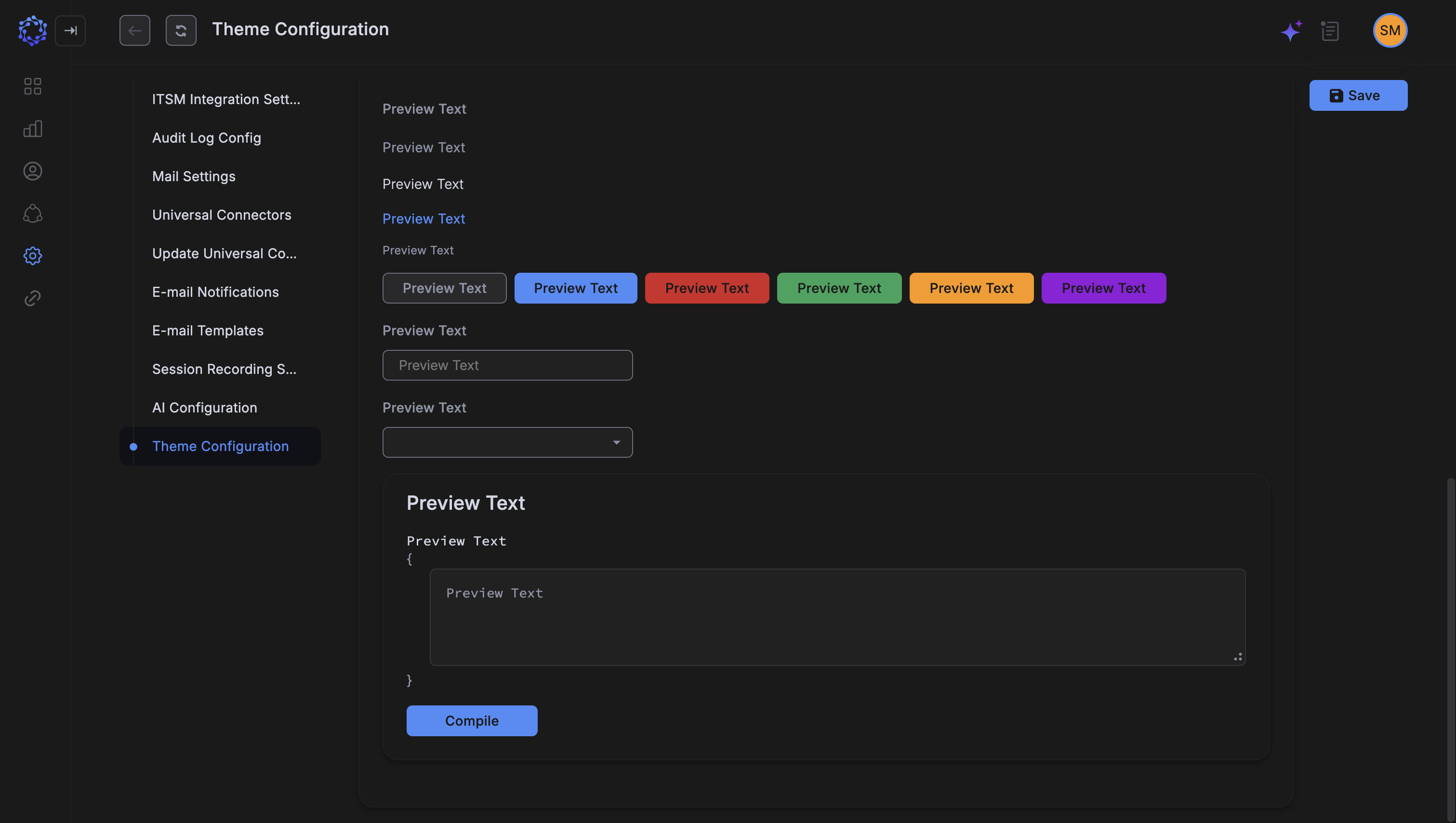
13. Branded Email Templates with Theme Inheritance
- Email templates auto-inherit brand colors/logos.
- Editable via both visual editor and direct HTML code for advanced customization.
14. Enhanced Analytics Chart Visuals
- Refined color palettes, axis grouping, and responsive design for easier and deeper insight into analytics.
Bug Fixes
There is no major bug fix included in this release. All existing bug tickets will continue to be tracked and addressed in future updates.
Deprecated/Removed Features
No features were formally deprecated or removed in this release.
Known Issues / Limitations
- Advanced email template customization may require HTML/code view edits.
- PostgreSQL is now the default database; please verify all existing integrations are compatible before migrating.
- 'Read' permissions are currently limited to view-only and do not allow modifications.
Affected Components & Modules
- Account Creation/Provisioning
- Self-Service Access Management
- Database Layer (PostgreSQL, SQL Server, MySQL)
- Logging/Monitoring
- Workflow Automation Engine
- Integration Permissions & Visibility
- UI/UX & Theming
- Analytics Engine
References & Support
For detailed migration instructions or further technical assistance, please contact your ObserveID support representative directly at [email protected].
Thank you for choosing ObserveID!