
Application Build 3.3 and UC 3.0
December 2025
Overview / Summary
The ObserveID release 3.3 introduces a robust suite of new functionalities spanning critical areas including workflow automation, scheduling, remote connection, access detection and session recording, analytics, UX\UI updates, and integrations. The comprehensive bundle is engineered to facilitate granular customization and implementation of diverse individual business cases while also providing extensive support for a wide array of existing business processes. Additionally, it enables a stricter audit and overhaul of access usage patterns and opens up broader avenues for systems integration.
Key feature enhancements include:
- Workflows: Requests outcomes expand immensely with the addition of a new Custom Operations workflow type.
- Automation: Automated task execution now benefits from a wider array of configuration options.
- IAM: Onboarded identities are enriched with additional date-related data points, and roles can now be assigned a formal sunset state for improved lifecycle management.
- PAM: Expanded file transfer capabilities, improved detection of domain account sessions, and broader integration support for session recording.
- Analytics: Reporting and analytics capabilities have been upgraded to reflect workflow ownership and provide deeper insights.
Ultimately, this iteration significantly broadens the scope for operational innovation, administrative management, and overall security posture enhancement.
New Features Enhancements
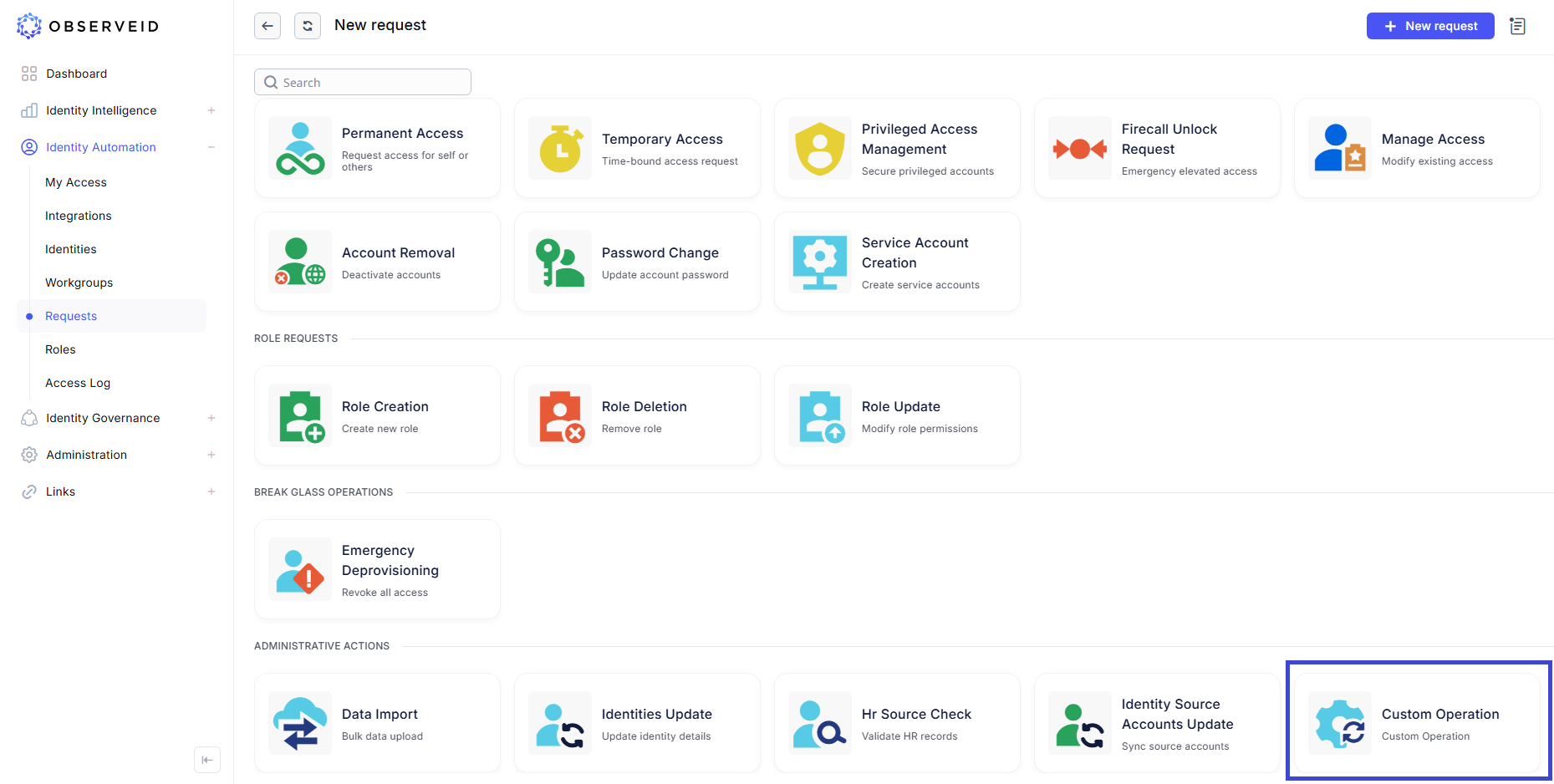
Custom Operations
A Custom Operation request is designed to execute any integration action natively supported by the target system's underlying communication, data exchange, and connectivity protocols.
- The lifecycle of a Custom Operation is characterized by two distinct, yet interconnected, phases: Definition and Execution. This architecture provides for deep, granular customization at the integration layer while maintaining straightforward usability for end-users managing target systems via service requests.
- The extensive flexibility embedded within the business logic covered by Custom Operations allows for highly unique tenant implementations. This uniqueness is realized through the vast spectrum of possible actions that can be performed on specific objects within the integrated environment.
- Furthermore, an organization can leverage an Unlimited Integration Operation Library to curate a centralized collection of individual capabilities, effectively supporting diverse business processes and operational requirements.
Event-Driven Scheduler Enhancements
A new event type is now available for triggering workflows within the scheduler, expanding the options for defining how and when workflows are initiated.
- For workflows initiated automatically by system tasks, the Task Event Scheduler remains the appropriate configuration. When workflows are triggered by other workflows, such as HR Source Check or Emergency Deprovisioning, or created directly by users, the Workflow Event Scheduler now supports these scenarios, extending coverage across a broader range of automation cases.
- The scheduler now includes additional configuration options for defining the precise execution moment of a scheduled workflow. Execution can be delayed, or conditioned on whether all or any of the selected tasks reach the required state, providing greater flexibility and control over workflow timing.
Per-User Isolation for the Remote Windows Virtual Drive
The Apache Guacamole Virtual Drive, used as an external storage mechanism for file transfer on remote Windows hosts, now enforces strict per-user isolation.
- Users can no longer access files uploaded by other users on the same machine, ensuring secure and segregated storage.
- Because all files physically reside on the guacd server, operations such as directory listing, file access, and metadata retrieval may generate additional network traffic as data is streamed to the remote session.
Enhanced SFTP File Manager Browsing for Linux
The SFTP-based File Manager for the Linux integration now supports expanded file system browsing, allowing navigation beyond the user’s home directory in accordance with assigned permissions.
- By default, the File Manager displays all nodes at the root level.
- The directories that the user cannot access due to insufficient permissions are greyed out and can be hidden, if needed.
Tmux Terminal Support for Linux Remote Sessions
Remote Connect for Linux in ObserveID now leverages tmux to provide a split-pane terminal experience, enabling side-by-side execution and comprehensive session recording. Tmux also enables keyboard-driven navigation, dynamic creation and resizing of panes, and the ability to open or close panes as needed.
UX \ UI updates
-
Onboarded Date Added to Identities
A new Onboarded Date field is now displayed for each identity, showing the date the onboarding workflow was completed and providing an apparent reference for onboarding timelines and improved auditability.
-
Password Visibility Indicator on Login
A password visibility icon has been added to the login screen, allowing users to reveal their entered password when needed, improving the user experience.
-
Email Added to Identity Selection
When selecting a manager or specifying notification recipients, the interface now displays both the identity name and associated email address. Users can better distinguish between identities with similar names and avoid ambiguity when assigning managers or configuring email recipients.
-
Updated Default Date Range in Histories and Access Log
The default date range for the Access Log now displays records from the past 24 hours, improving load times and performance when opening the page. The same default range has been applied to all History views, including Identity History, Workflow History, and Role History. Users can still access older records at any time by adjusting the date filters to load additional historical data as needed.
Entitlement Owners as Approver for Role Changes
- Role Update workflows now expand approval strategies with more approvers. In addition to Role Owners, Entitlement Owners can now approve proposed role changes, providing greater oversight and alignment with entitlement governance practices.
Role Sunset Phase in Role Management
- Birthright Roles can now be transitioned to a sunset state, which prevents any new assignments from being made. Additionally, new sunset configuration options enable administrators to define how existing, deprecated assignments should be handled, providing greater control and governance during the decommissioning of roles.
Workgroup Account Audit Log in Analytics
The Audit Log in Analytics now delivers clearer, more actionable visibility into the usage of workgroup-owned accounts.
- When a session is detected on a target system and the account belongs to a workgroup, the Audit Log records the identity that performed the credential check-out immediately prior to session initiation.
- Because only one identity within the workgroup can check out and use the shared credentials at a time, all activity is clearly attributed, ensuring accurate auditing and traceability of workgroup account access.
Correlated Audit and Credentials Logs
The Audit Log and Credentials Log in Analytics now provide fully correlated data to streamline anomaly detection and simplify access to session recording files associated with each session.
- Session recordings are now accessible from both the credential check-out entries in the Credentials Log and the corresponding detected session records in the Audit Log, ensuring consistent visibility across both perspectives.
- By correlating locally stored check-out information for logged-in identities in ObserveID with session activity retrieved from remote systems through the UC as part of integration data, the system enables more accurate identification of unusual or potentially abnormal behavior.
Azure Integration Data Expanded
A new resource type called AI Foundry has been added to the integration data for Azure integration.
- Users can now manage access to AI Foundry resources and review the assigned RBAC (Role-Based Access Control) roles.
- Additionally, access inheritance is now fully tracked. When permissions are granted at a parent level, all corresponding child resources are displayed as inherited lower-level access, providing clearer visibility into effective permissions.
Access Detection for Domain Accounts on Windows and Linux
Windows and Linux integrations now support access detection for domain accounts originating from LDAP or Active Directory integrations.
- Because these domain accounts are referenced but not directly retrieved in the Windows and Linux integrations, the system previously faced limitations in accurately attributing detected sessions on target machines to the correct originating identity.
- To address this, Access Detection now queries the source LDAP or Active Directory system during session analysis, enabling precise identification and correlation of the domain account responsible for the activity.
Web App Session Recording
- This release introduces the ability to record user sessions in browser-based web applications. Before recording begins, users can select the capture scope—browser tab, application window, or full screen. Once confirmed, the recording starts and continues until the user explicitly stops screen sharing, ensuring complete control over the session’s capture.
Technological Improvements
- Kubernetes cluster service status alerting
- Request queue connection stability
- Throttling mechanism optimized
Affected Components & Modules
- Requests
- Scheduler
- Remote Connect
- File Transfer
- Session Recording
- Audit Log report in Analytics
- Credentials Log report in Analytics
- Role Management
- Access Detection
- Azure integration
- Linux integration
- Windows integration
Note:
The release will deploy during non-business hours to minimize disruption. The downtime will be under five minutes, so users will likely not notice any interruption.
References & Support
For detailed instructions or further technical assistance, please contact your ObserveID support representative at [email protected].
Thank you for choosing ObserveID!