
Atlassian Prerequisites and Base Integration Setup
Required prerequisites
There are prerequisite activities that are required to be performed on the Atlassian portal before the Atlassian integration is configured on the ObserveID side. Below is a short overview of the prerequisites.
|
Prerequisite |
Description |
|
User account |
A dedicated user account must be created on the Atlassian platform for ObserveID. Once the user account is created, its associated email address must be recorded and retained for subsequent configuration steps. |
|
Privileges |
The user account must be provided with the following privileges:
|
|
API token |
An API token without assigned scopes must be generated by a user authenticated to the Atlassian platform using the account designated for ObserveID. |
|
Organization API Key |
An API token without assigned scopes must be generated by an organization administrator in: Atlassian Administration > Organization Settings > API Keys. The key is generated together with the organization ID. Both parameters must be saved to use later during the integration configuration. |
|
Organization ID |
The Organization ID is generated together with the API key. |
Connection parameters
The connection parameters specified below must be populated in ObserveID for the Universal Connector to connect to the Atlassian platform as a Target. The connection parameters are established in: ObserveID > Identity Automation > Integrations > {specific Atlassian integration} > Details.
|
Connection parameter |
Description |
|
Environment Type |
Environment the new integration pertains to. The Na option establishes no environment. |
|
Integration Name |
Automatically generated name for the new integration. The name is created by combining the Integration Type with what is established as Environment Type, Alternate Name, and Description for the new integration. |
|
Alternate Name |
Any preferred name for the new integration. |
|
Description |
Any valid text to differentiate one integration from another. This text is displayed in addition to the integration name in several UI elements, e.g., dropdown lists, in the system. |
|
Base API URL |
The URL of the Atlassian instance, using the following format:
|
|
User |
The email addess of the user account designated for ObserveID. |
|
Password |
The API token generated within the Atlassian platform by the user account designated for ObserveID. |
|
Organization API Base URL |
The default URL is https://api.atlassian.com/admin/. This is the URL for REST API resources. |
|
Organization Id |
It is a unique identifier for the organization, obtained at the step of generating an Organization API key. |
|
Organization API Key |
An Organization API key used as a Bearer access token for authentication with an Organizations REST API endpoint. |
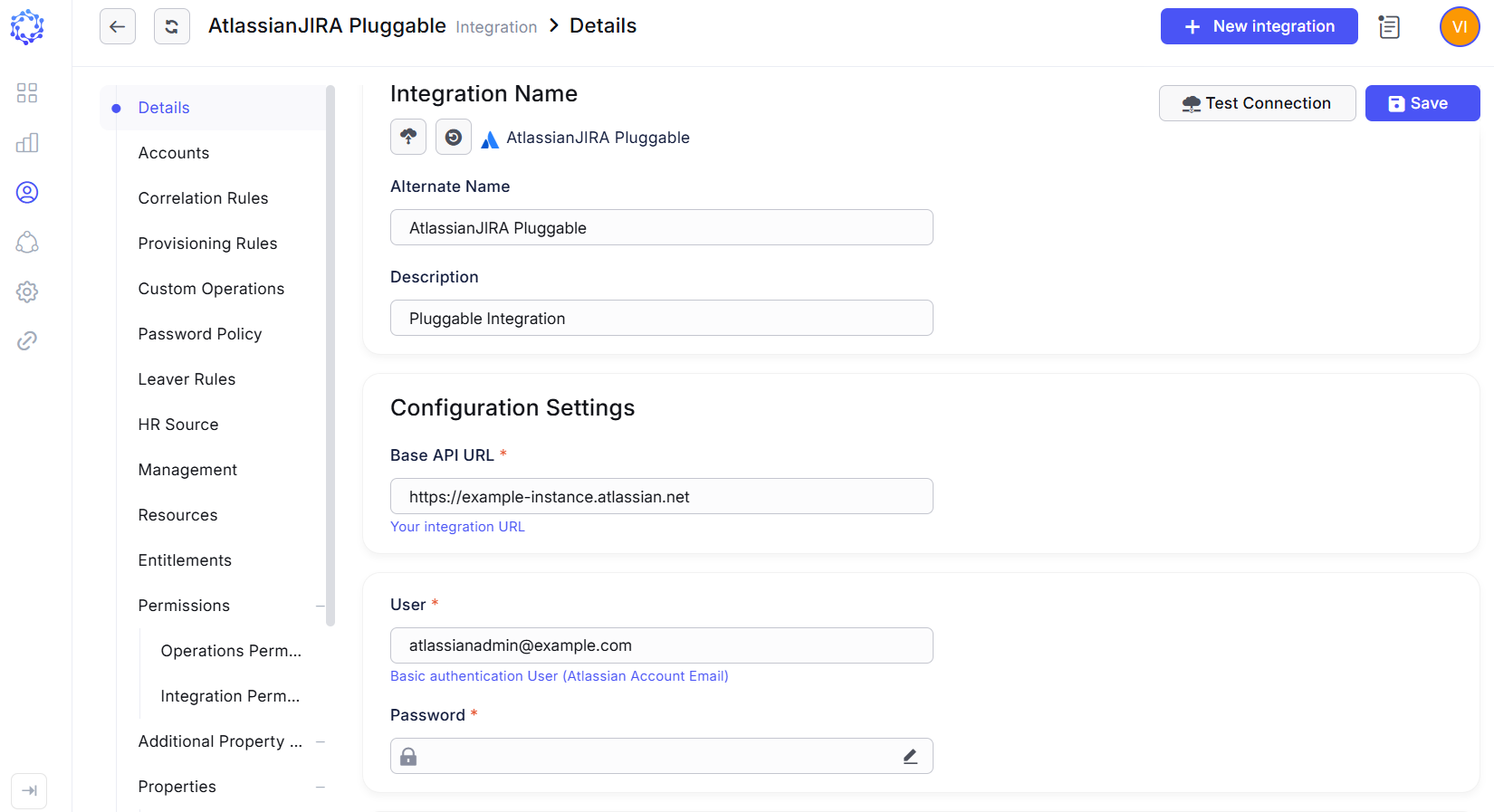 Atlassian integration configuration
Initial data load
After the connection parameters are established for Atlassian in ObserveID, and the connection test is successfully completed, next is the first load of data. It allows the systems to set up an initial point starting from which it is possible to determine and synchronize deltas later. For what data is loaded, refer to the schema of Atlassian integration data.
A Data Import task is used to perform the initial data load as well as all subsequent data imports.
The Data Import task for the Atlassian integration is created automatically when the integration is saved. If required, the task can also be created manually. To execute the Data Import task, navigate to:
- ObserveID > Identity Automation > Workflows > Tasks
The Data Import task is considered successfully completed when the integration data (including accounts, entitlements, resources, and associated properties) is imported and becomes available within the Atlassian integration in ObserveID.