
Access Detection configuration for MS SQL integration
The MS SQL integration can read logs from the SQL Server. The storage location for the .sqlaudit files is specified in the Audit File Addresses field of the MS SQL integration configuration (see the figure below).
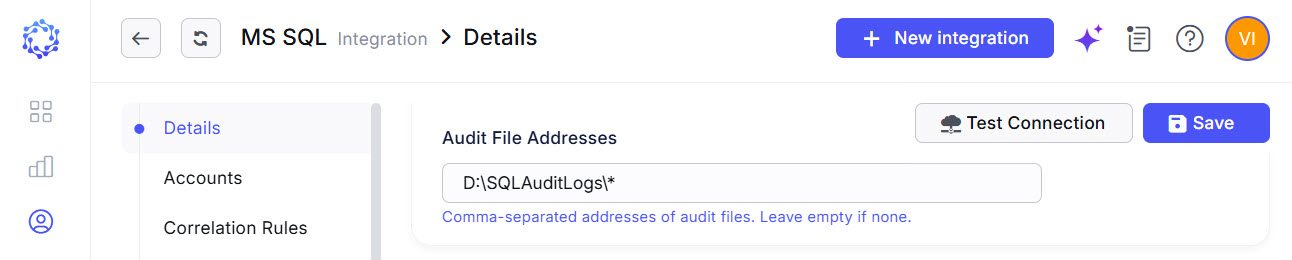 Audit File Addresses
Once the storage location is configured, access detection can be enabled by selecting Allow for the Detect Access option in the integration permissions (see the figure below). When enabled, access detection reads audit logs from the MS SQL server and presents detected session information in the Audit Log report within Analytics.
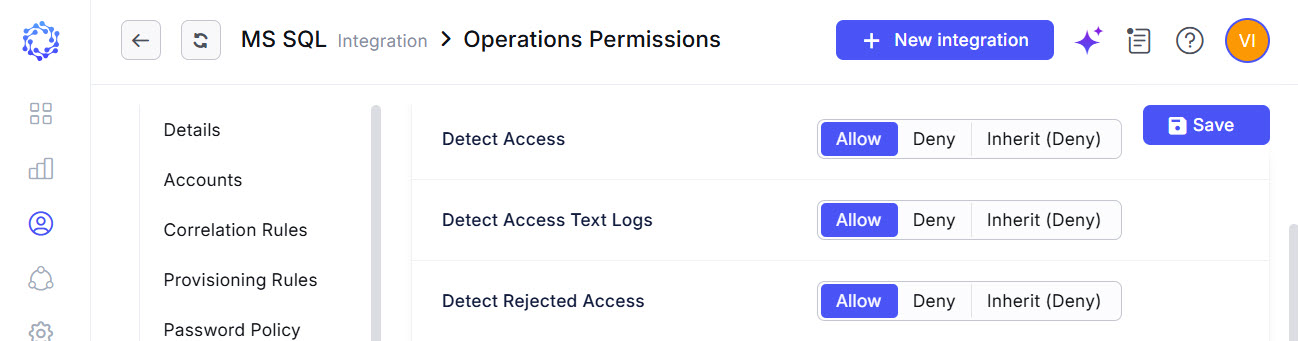 Detect Access permission
The default value for the Consider Session Closed parameter is 600 seconds. This setting defines the timeout after which the UC automatically generates a ClosedSessionEvent. This parameter can be adjusted, along with other related settings available in the Administration area for the Universal Connector, such as the frequency of SQL Server audit log polling, and additional configuration options.